

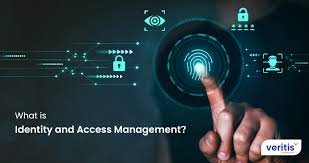
As businesses become increasingly digital, managing who has access to systems, data, and applications is more critical than ever. Identity & Access Management (IAM) plays a central role in cybersecurity by ensuring that only the right people—and systems—can access the right resources at the right time.
From preventing data breaches to enabling secure remote work, IAM is a foundational component of modern security strategies.
In this guide, we explore what IAM is, how it works, its benefits, key components, and best practices for implementation.
What Is Identity & Access Management (IAM)?
IAM is a framework of policies, technologies, and processes used to manage digital identities and control access to resources.
Organizations use IAM solutions from providers like Microsoft and Okta to secure their systems and data.
Why IAM Is Important
Prevents Unauthorized Access
Ensures only verified users can access systems.
Protects Sensitive Data
Reduces risk of data breaches.
Enables Remote Work
Secure access from anywhere.
Supports Compliance
Meets regulatory requirements.
Improves User Experience
Streamlines login processes.
Key Components of IAM
Authentication
Verifying user identity.
Methods
- Passwords
- Multi-Factor Authentication (MFA)
- Biometrics
Authorization
Determining what users can access.
Examples
- Role-based access
- Permission levels
User Management
Creating, updating, and deleting user accounts.
Single Sign-On (SSO)
Allows users to access multiple systems with one login.
Identity Federation
Sharing identity information across systems.
Access Control Models
Role-Based Access Control (RBAC)
Access based on user roles.
Attribute-Based Access Control (ABAC)
Access based on user attributes.
Policy-Based Access Control
Access defined by policies and rules.
Benefits of IAM
Enhanced Security
Protects against unauthorized access.
Increased Efficiency
Simplifies user management.
Better Compliance
Meets regulatory standards.
Improved Productivity
Reduces login friction.
Common IAM Challenges
Complex Implementation
Requires planning and expertise.
Integration Issues
Difficult to connect with legacy systems.
User Resistance
Employees may resist new systems.
Security Risks
Misconfigurations can create vulnerabilities.
Best Practices for IAM
Use Multi-Factor Authentication
Add extra security layers.
Apply Least Privilege Principle
Grant minimal access required.
Regularly Review Access
Audit permissions frequently.
Automate User Provisioning
Streamline account management.
Monitor Activity
Detect suspicious behavior.
IAM Tools & Technologies
Identity Providers (IdPs)
Manage user identities.
Access Management Platforms
Control permissions and authentication.
Privileged Access Management (PAM)
Secure high-level accounts.
Directory Services
Store user information.
IAM in Modern Environments
Cloud Security
Managing access to cloud applications.
Remote Work
Secure access for distributed teams.
Zero Trust Security
Continuous verification of users.
API Security
Controlling access to services.
Future Trends in IAM
Passwordless Authentication
Using biometrics and tokens.
AI-Driven Security
Detecting threats automatically.
Decentralized Identity
User-controlled digital identities.
Adaptive Authentication
Dynamic access based on risk.
How to Implement IAM
Step 1: Assess Your Needs
Identify systems and users.
Step 2: Choose the Right Solution
Select an IAM platform.
Step 3: Define Access Policies
Set clear rules.
Step 4: Deploy and Integrate
Implement across systems.
Step 5: Monitor and Improve
Continuously optimize security.
Real-World Use Cases
Enterprise Security
Protect corporate systems.
SaaS Platforms
Manage user access to applications.
Financial Services
Secure sensitive transactions.
Healthcare Systems
Protect patient data.
Final Thoughts
Identity & Access Management is a critical component of modern cybersecurity. As organizations continue to adopt digital technologies, managing access securely becomes increasingly important.
By implementing strong IAM practices, businesses can protect sensitive data, ensure compliance, and create a secure digital environment.
In a world where cyber threats are constantly evolving, IAM is not just an option—it’s a necessity.
SEO FAQs
Q: What is IAM?
It is a system for managing user identities and access.
Q: Why is IAM important?
It prevents unauthorized access and protects data.
Q: What are IAM tools?
Platforms that manage authentication and authorization.
Q: What is MFA?
Multi-factor authentication adds extra security layers.


