

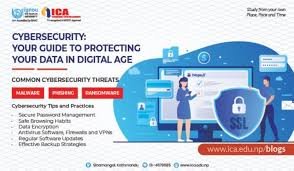
In today’s hyper-connected world, cybersecurity is no longer optional—it’s essential. From individuals to large organizations, everyone is a target for cyber threats. With the rise of remote work, cloud computing, and digital transactions, protecting your data has become more critical than ever.
In this guide, we’ll explore the most effective cybersecurity best practices to help you stay safe online.
🚨 Why Cybersecurity Matters
Cyberattacks are becoming more sophisticated and frequent. Threats like phishing, ransomware, and identity theft can lead to financial loss, data breaches, and reputational damage.
A strong cybersecurity strategy ensures:
- 🔒 Protection of sensitive information
- 💼 Business continuity
- 👤 Personal privacy
- ⚖️ Compliance with regulations
🔑 Use Strong and Unique Passwords
Weak passwords are one of the easiest ways for hackers to gain access.
Best Practices:
- Use at least 12–16 characters
- Combine uppercase, lowercase, numbers, and symbols
- Avoid common words or personal information
- Use a password manager
Popular password managers like LastPass and 1Password can help you generate and store secure passwords.
🔐 Enable Multi-Factor Authentication (MFA)
Multi-factor authentication adds an extra layer of security beyond passwords.
Even if your password is compromised, MFA helps prevent unauthorized access.
Common MFA Methods:
- SMS or email verification
- Authenticator apps like Google Authenticator
- Biometric verification (fingerprint, facial recognition)
📧 Beware of Phishing Attacks
Phishing is one of the most common cyber threats. Attackers disguise themselves as trusted entities to trick users into revealing sensitive information.
How to Stay Safe:
- Don’t click suspicious links
- Verify email sender addresses
- Avoid downloading unknown attachments
- Look for signs of urgency or threats
Always double-check before sharing personal data.
💻 Keep Software and Systems Updated
Outdated software often contains security vulnerabilities.
What to Update:
- Operating systems
- Web browsers
- Antivirus software
- Apps and plugins
Companies like Microsoft and Apple regularly release updates to patch security flaws.
🛡️ Install Antivirus and Security Tools
Antivirus software helps detect and remove malicious programs.
Recommended Tools:
- Norton 360
- Bitdefender
These tools provide real-time protection against malware, ransomware, and other threats.
🌐 Use Secure Networks
Public Wi-Fi networks are often unsecured, making them easy targets for hackers.
Tips:
- Avoid accessing sensitive accounts on public Wi-Fi
- Use a Virtual Private Network (VPN)
- Turn off automatic Wi-Fi connections
VPN services encrypt your internet traffic, keeping your data safe.
📂 Backup Your Data Regularly
Data loss can happen due to cyberattacks, hardware failure, or human error.
Backup Strategies:
- Use cloud storage
- Maintain offline backups (external drives)
- Schedule automatic backups
Services like Google Drive and Dropbox make backups easy and accessible.
👥 Educate Yourself and Your Team
Human error is one of the leading causes of security breaches.
Key Areas to Learn:
- Recognizing phishing attempts
- Safe browsing habits
- Secure password practices
- Data handling policies
For businesses, regular cybersecurity training is essential.
🔒 Practice Principle of Least Privilege (PoLP)
Only give users access to the data and systems they need.
This reduces the risk of:
- Insider threats
- Accidental data leaks
- Unauthorized access
Limiting access is a simple but powerful security measure.
🧠 Monitor and Respond to Threats
Cybersecurity isn’t just about prevention—it’s also about detection and response.
Best Practices:
- Monitor login activity
- Set up alerts for suspicious behavior
- Have an incident response plan
Quick response can minimize damage during an attack.
⚠️ Common Cybersecurity Mistakes to Avoid
- Reusing passwords across multiple sites
- Ignoring software updates
- Clicking unknown links
- Not backing up data
- Using unsecured public Wi-Fi
Avoiding these mistakes can significantly improve your security.
🌍 The Growing Importance of Cybersecurity
With increasing internet usage in countries like Nigeria, cybersecurity awareness is more important than ever.
As more people adopt digital services, the need for strong security practices continues to grow.
🔮 The Future of Cybersecurity
Emerging technologies are shaping the future of cybersecurity:
- 🤖 AI-powered threat detection
- 🔐 Zero Trust security models
- ☁️ Cloud security advancements
- 🧬 Biometric authentication
Cybersecurity will continue to evolve alongside technology.
🏁 Final Thoughts
Cybersecurity is a shared responsibility. Whether you’re an individual user or a business owner, adopting these best practices can protect you from costly and damaging cyber threats.
Staying informed, vigilant, and proactive is the key to staying secure in today’s digital world.
🔍 SEO Meta (Optional for Your Blog)
Meta Title: Cybersecurity Best Practices: Protect Your Data Online
Meta Description: Learn essential cybersecurity best practices to protect your data, prevent cyberattacks, and stay safe online in 2026.
Keywords: cybersecurity tips, data protection, online safety, phishing prevention, password security, VPN, antivirus


