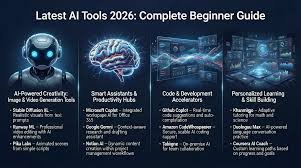
Artificial Intelligence (AI) and automation are no longer futuristic concepts—they are now essential tools for businesses, freelancers, and everyday users. From automating repetitive tasks to building intelligent systems that make decisions, AI is transforming how we work and live.
In this tutorial guide, you’ll learn how to get started with AI and automation, the best tools to use, and step-by-step strategies to build powerful automated workflows—even if you’re a beginner.
What is AI & Automation?
AI refers to systems that can simulate human intelligence—like learning, reasoning, and problem-solving. Automation, on the other hand, involves using technology to perform tasks with minimal human intervention.
When combined, AI + automation allows you to:
- Save time on repetitive tasks
- Improve efficiency and accuracy
- Scale your business operations
- Deliver better customer experiences
Why AI & Automation Matter in 2026
Businesses today rely heavily on automation to stay competitive. Whether you’re running a startup or working solo, automation tools can handle tasks like:
- Email responses
- Customer support
- Lead generation
- Data analysis
- Content creation
Tools like ChatGPT, Zapier, and Make (Integromat) have made it easier than ever to automate workflows without coding.
Top AI & Automation Tools You Should Learn
1. AI Content & Productivity Tools
- ChatGPT – Content writing, coding, research
- Notion AI – Notes, documentation, planning
- Grammarly – Grammar and tone improvement
2. Automation Platforms
- Zapier – Connect apps and automate workflows
- Make (Integromat) – Advanced visual automation
- n8n – Open-source automation
3. Business & Marketing Automation
- GoHighLevel – Funnels, CRM, SMS/email automation
- HubSpot – Marketing and sales automation
Step-by-Step: How to Start with AI & Automation
Step 1: Identify Repetitive Tasks
Start by listing tasks you do daily or weekly that can be automated, such as:
- Sending emails
- Posting on social media
- Responding to customer inquiries
Step 2: Choose the Right Tools
Pick tools based on your needs:
- Content → AI tools
- Workflow automation → Zapier or Make
- CRM → GoHighLevel or HubSpot
Step 3: Build Your First Automation
Example Workflow: Lead Capture Automation
- User fills a form on your website
- Data is sent to CRM
- Automated email/SMS is triggered
- Follow-up sequence begins
You can build this using:
- GoHighLevel
- Zapier
Step 4: Integrate AI into Workflows
Add AI to make your automation smarter:
- Use ChatGPT for auto-replies
- Generate content automatically
- Analyze customer data
Step 5: Test and Optimize
- Monitor performance
- Adjust workflows
- Improve based on results
Automation is not “set and forget”—it evolves with your business.
Popular AI Automation Use Cases
1. Customer Support Automation
AI chatbots handle FAQs and support requests 24/7.
2. Marketing Automation
Automatically send:
- Email campaigns
- SMS follow-ups
- Promotions
3. Content Creation
Generate:
- Blog posts
- Social media captions
- Product descriptions
4. Sales Funnel Automation
Tools like GoHighLevel help automate the entire sales process—from lead capture to conversion.
Common Mistakes to Avoid
- Over-automation: Don’t remove the human touch completely
- Wrong tools: Choose tools that fit your workflow
- Ignoring data: Always analyze results
- No testing: Automation needs continuous improvement
Future Trends in AI & Automation
- AI agents handling entire business operations
- Hyper-personalized marketing
- Voice and conversational automation
- No-code and low-code platforms dominating
AI will not replace humans—but those who use AI will outperform those who don’t.
Conclusion
AI and automation are powerful tools that can transform your productivity and business growth. Whether you’re a beginner or an expert, learning how to build automated systems is one of the most valuable skills in today’s digital world.
Start small, experiment with tools like ChatGPT and Zapier, and gradually scale your automation systems.
Bonus: Quick Action Plan
- Pick 1 task to automate today
- Choose 1 tool to learn this week
- Build 1 simple workflow
- Scale gradually