Software has become the backbone of modern business. Whether you’re a freelancer, startup founder, small business owner, remote worker, or enterprise manager, the right Software-as-a-Service (SaaS) tools can help you save time, reduce costs, improve collaboration, and scale your operations more efficiently.
Instead of installing complex software on individual computers, businesses now rely on cloud-based applications that can be accessed from almost anywhere with an internet connection. From customer relationship management (CRM) systems and accounting software to AI assistants, marketing automation platforms, and project management tools, SaaS has transformed how organizations operate.
However, with thousands of business applications available, selecting the right tools can be overwhelming. Choosing software based solely on popularity often leads to unnecessary expenses, overlapping features, and low adoption among employees.
This comprehensive guide explains the major categories of business and SaaS tools, how they work together, what features to evaluate, and how to build a technology stack that supports long-term business growth.
What Is SaaS?
Software-as-a-Service (SaaS) is a software delivery model where applications are hosted in the cloud and accessed through a web browser or mobile app.
Unlike traditional software, SaaS solutions typically offer:
- Subscription-based pricing
- Automatic updates
- Cloud storage
- Remote accessibility
- Multi-device support
- Easy collaboration
- Reduced IT maintenance
Examples include email platforms, accounting software, customer support systems, and project management applications.
Benefits of SaaS Tools
Businesses adopt SaaS because it provides several advantages.
Accessibility
Employees can access applications securely from offices, homes, or while traveling.
Scalability
Organizations can add users, features, or storage as business needs evolve.
Lower Upfront Costs
Most SaaS platforms eliminate the need for expensive hardware and perpetual software licenses.
Automatic Updates
Providers regularly release new features, bug fixes, and security improvements without requiring manual installations.
Collaboration
Cloud-based tools make it easier for teams to work together in real time.
Customer Relationship Management (CRM)
CRM platforms help businesses manage interactions with customers and prospects.
Typical CRM capabilities include:
- Contact management
- Sales tracking
- Lead management
- Email integration
- Customer history
- Reporting dashboards
- Task automation
A CRM provides a centralized view of customer relationships, helping sales and support teams deliver more personalized experiences.
Project Management Tools
Project management software helps teams organize work, assign responsibilities, and monitor progress.
Common features include:
- Task management
- Kanban boards
- Gantt charts
- Calendars
- Time tracking
- File sharing
- Team collaboration
Clear project visibility reduces confusion and improves accountability.
Team Communication Platforms
Modern workplaces rely on communication tools for daily collaboration.
Useful features include:
- Instant messaging
- Video meetings
- Screen sharing
- File sharing
- Team channels
- Searchable conversation history
Well-organized communication reduces delays and supports remote and hybrid work.
Cloud Storage and File Sharing
Cloud storage enables secure access to documents from multiple devices.
Benefits include:
- Automatic synchronization
- Version history
- Secure sharing
- Permission management
- Backup capabilities
Cloud storage also simplifies collaboration across distributed teams.
Accounting and Finance Software
Financial management platforms assist with:
- Expense tracking
- Invoicing
- Payroll
- Budgeting
- Tax preparation
- Financial reporting
Automating financial workflows reduces manual errors and improves visibility into business performance.
Marketing Automation
Marketing platforms help businesses manage campaigns across multiple channels.
Common automation features include:
- Email marketing
- Lead nurturing
- Customer segmentation
- Landing pages
- Campaign analytics
- Social media scheduling
Automation enables marketers to deliver timely and personalized communications at scale.
Customer Support Software
Customer service platforms centralize support requests.
Features may include:
- Ticket management
- Live chat
- AI chatbots
- Knowledge bases
- Customer satisfaction surveys
- Service analytics
Quick and consistent support strengthens customer loyalty.
Human Resources (HR) Software
HR platforms simplify employee management.
Typical capabilities include:
- Recruitment
- Employee onboarding
- Leave management
- Performance reviews
- Payroll integration
- Document management
Automation reduces administrative work while improving compliance.
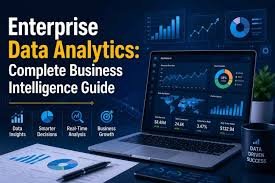
Business Intelligence (BI) Tools
Business intelligence software transforms raw data into actionable insights.
Capabilities include:
- Dashboards
- Data visualization
- Performance metrics
- Trend analysis
- Forecasting
- Custom reporting
Decision-makers can monitor business health using real-time information.
AI-Powered Business Tools
Artificial intelligence is becoming a standard feature across many SaaS platforms.
AI assists with:
- Content generation
- Customer service
- Predictive analytics
- Meeting summaries
- Sales forecasting
- Workflow automation
- Data analysis
Human oversight remains essential for reviewing outputs and making strategic decisions.
Workflow Automation
Automation tools connect different applications and eliminate repetitive tasks.
Examples include:
- Moving form submissions into a CRM
- Sending automated invoices
- Creating project tasks from emails
- Synchronizing customer records
- Scheduling recurring reports
Automation saves time and reduces manual errors.
E-Commerce Tools
Online businesses rely on specialized SaaS solutions for:
- Inventory management
- Payment processing
- Shipping
- Customer management
- Product analytics
- Marketing integrations
These tools help businesses scale while maintaining operational efficiency.
Website Management Platforms
Website-focused SaaS solutions often provide:
- Content management
- Website builders
- SEO optimization
- Analytics
- Security monitoring
- Backup services
An effective website platform supports both user experience and business growth.
Choosing the Right SaaS Tools
Before adopting any platform, evaluate:
Ease of Use
Employees should be able to learn the software without extensive training.
Integration
Ensure the tool connects smoothly with your existing applications to avoid data silos.
Security
Review:
- Data encryption
- Access controls
- Backup policies
- Compliance certifications
Protecting sensitive business information is essential.
Scalability
Select software that can grow alongside your organization without requiring a complete migration.
Customer Support
Reliable documentation, tutorials, and responsive technical support improve long-term success.
Pricing
Consider:
- Subscription plans
- User limits
- Storage costs
- Premium features
- Long-term affordability
Focus on total value rather than the lowest initial price.
Building an Effective SaaS Stack
A well-rounded business technology stack may include:
- CRM
- Project management
- Team communication
- Accounting software
- Marketing automation
- Customer support platform
- Cloud storage
- Analytics tools
- AI assistant
- Workflow automation platform
Choose solutions that integrate well rather than purchasing multiple tools with overlapping functionality.
Common Mistakes to Avoid
Businesses often make these mistakes when selecting software:
- Buying tools without defining business objectives.
- Paying for features that are rarely used.
- Ignoring employee training.
- Choosing software that cannot integrate with existing systems.
- Failing to review security and privacy practices.
- Using too many disconnected applications.
Regular software audits help identify unnecessary subscriptions and improve efficiency.
Future Trends in Business SaaS
The SaaS landscape continues to evolve.
AI-First Platforms
Artificial intelligence is becoming deeply integrated into business software, assisting with automation, analytics, and customer interactions.
Low-Code and No-Code Development
Businesses increasingly create custom workflows and applications without extensive programming knowledge.
Hyperautomation
Organizations are combining AI, robotic process automation (RPA), and workflow automation to streamline complex business processes.
Industry-Specific SaaS
Software vendors are developing specialized platforms tailored to sectors such as healthcare, education, legal services, manufacturing, and retail.
Enhanced Security
Future SaaS platforms are expected to include stronger identity management, zero-trust security models, and advanced threat detection.
Best Practices Checklist
When implementing business software:
- ✅ Identify your business goals.
- ✅ Involve key stakeholders in software selection.
- ✅ Test platforms before purchasing.
- ✅ Train employees thoroughly.
- ✅ Monitor software usage and adoption.
- ✅ Review subscriptions regularly.
- ✅ Prioritize security and data protection.
- ✅ Continuously optimize your technology stack.
Conclusion
Business and SaaS tools have fundamentally changed how organizations operate, collaborate, and grow. By leveraging cloud-based software for customer management, communication, marketing, finance, automation, and analytics, businesses of all sizes can improve efficiency and make more informed decisions.
The most successful technology stack is not necessarily the largest—it is the one that aligns with your business objectives, integrates seamlessly with existing workflows, and provides measurable value over time.
As AI, automation, and cloud computing continue to advance, businesses that thoughtfully adopt modern SaaS solutions will be better positioned to innovate, remain competitive, and adapt to changing market demands.
Frequently Asked Questions (FAQs)
1. What is SaaS?
Software-as-a-Service (SaaS) is a cloud-based software delivery model that allows users to access applications through a web browser or mobile app without installing them locally.
2. Why are SaaS tools important for businesses?
SaaS tools improve productivity, reduce infrastructure costs, enable remote work, support collaboration, and provide automatic updates, making them valuable for organizations of all sizes.
3. How do I choose the right business software?
Evaluate ease of use, integration capabilities, security, scalability, pricing, customer support, and how well the software addresses your specific business requirements.
4. Can small businesses benefit from SaaS?
Yes. Many SaaS platforms offer affordable pricing, flexible subscriptions, and scalable features that allow small businesses to access enterprise-grade capabilities without large upfront investments.
5. What role does AI play in modern SaaS platforms?
AI enhances SaaS applications by supporting automation, predictive analytics, content generation, intelligent customer service, workflow optimization, and data-driven decision-making, while still requiring human oversight for important business decisions.