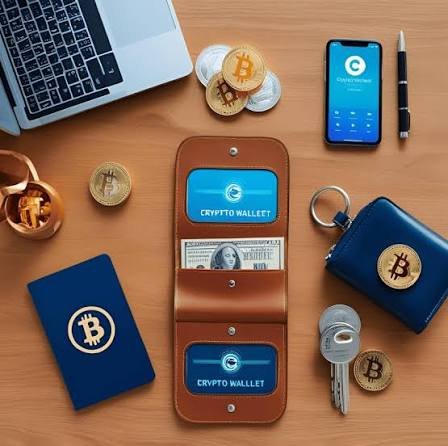
Cryptocurrency can seem complicated when you’re getting started. Terms such as blockchain, private keys, seed phrases, public addresses, networks, and gas fees can make the first steps feel overwhelming.
Fortunately, the basic process of setting up a crypto wallet is easier once you understand what a wallet actually does and how to protect it.
A crypto wallet does not technically store cryptocurrency in the same way a physical wallet stores cash. Instead, it provides the tools needed to manage the cryptographic keys that allow you to interact with assets recorded on a blockchain.
Whether you are interested in Bitcoin, Ethereum, stablecoins, decentralized applications, or other blockchain-based assets, understanding wallet security should be one of your first priorities.
This guide explains the fundamentals of crypto wallets and provides a practical framework for setting one up securely.
Important: Cryptocurrency transactions can be irreversible, and losing access to your wallet credentials can result in permanent loss of funds. Always verify addresses, networks, and recovery information before confirming a transaction.
What Is a Crypto Wallet?
A cryptocurrency wallet is software or hardware that allows you to manage blockchain accounts and interact with digital assets.
Depending on the wallet, you may be able to:
- Receive cryptocurrency
- Send cryptocurrency
- View balances
- Connect to decentralized applications
- Manage multiple blockchain networks
- Sign blockchain transactions
- Store or manage digital collectibles
- Interact with decentralized finance applications
The wallet itself does not normally contain coins in a physical sense.
Blockchain networks record ownership and transactions, while the wallet manages the cryptographic credentials needed to authorize actions.
How Do Crypto Wallets Work?
Three concepts are particularly important:
Public Address
A public address is information you can generally share with someone who wants to send cryptocurrency to you.
It works somewhat like an account number.
Private Key
A private key is a secret cryptographic credential that can authorize transactions.
Never share your private key with anyone.
Recovery Phrase
Many self-custody wallets generate a recovery phrase, often consisting of a sequence of words.
The phrase can potentially be used to restore access to the wallet.
Anyone who obtains the recovery phrase may be able to gain control of the assets associated with it.
That makes the recovery phrase one of the most important pieces of information in a self-custody wallet.
Types of Crypto Wallets
There are several types of cryptocurrency wallets.
1. Software Wallets
Software wallets run on devices such as:
- Smartphones
- Computers
- Web browsers
They are generally convenient and suitable for many everyday crypto activities.
However, their security depends heavily on the security of the device and the user’s behavior.
2. Hardware Wallets
Hardware wallets are dedicated physical devices designed to keep sensitive wallet credentials more isolated from internet-connected environments.
They are often considered for people who want stronger protection for significant long-term holdings.
However, hardware wallets are not automatically risk-free.
Users still need to protect their recovery information and verify transactions carefully.
3. Mobile Wallets
Mobile wallets are applications designed primarily for smartphones.
They can be convenient for:
- Everyday transactions
- QR-code payments
- Monitoring balances
- Interacting with certain decentralized applications
Because smartphones can be lost, stolen, or compromised, strong device security is important.
4. Browser Wallets
Browser wallets can integrate with websites and decentralized applications.
They are commonly used for blockchain applications involving:
- DeFi
- NFTs
- Web3 applications
- Token exchanges
- Blockchain games
The convenience comes with additional security responsibilities because users must carefully review the websites and transaction requests they approve.
5. Exchange Accounts
Cryptocurrency exchanges may provide wallet functionality within user accounts.
This is different from fully self-custodied wallets.
With an exchange account, the platform generally controls the underlying private keys while the customer accesses their assets through the account.
This can make cryptocurrency easier for beginners, but it also means users depend on the exchange’s security, policies, and availability.
Custodial vs. Non-Custodial Wallets
One of the most important distinctions in cryptocurrency is custodial versus self-custodial storage.
Custodial
A third party controls the private keys.
The user typically accesses funds through an account, similar to using an online financial service.
Self-Custodial
The user controls the private keys or recovery credentials.
This provides greater direct control but also greater responsibility.
If a user loses the necessary recovery information, there may be no company capable of restoring access.
How to Choose a Crypto Wallet
Before setting up a wallet, consider what you actually need.
Ask yourself:
What blockchain do I need?
Not every wallet supports every blockchain or token.
Am I making everyday transactions or holding assets long term?
Your usage pattern can influence the type of wallet that makes sense.
Do I need decentralized application support?
If you intend to use Web3 applications, compatibility can be important.
How much security do I need?
For larger holdings, security should generally receive more attention than convenience.
Is the wallet reputable?
Research the wallet’s developer, security history, supported networks, documentation, and community reputation.
Avoid choosing a wallet simply because someone promoted it on social media.
Step-by-Step: How to Set Up a Crypto Wallet
The exact interface varies between wallets, but the general process is similar.
Step 1: Choose a Reputable Wallet
Start by researching wallets that support the blockchain and assets you intend to use.
Only download wallet software from the developer’s official distribution channel.
Be particularly careful with advertisements and search results that may imitate legitimate wallet websites.
Step 2: Install or Initialize the Wallet
Download the wallet application or initialize your hardware wallet according to the manufacturer’s instructions.
Before continuing, verify that you are using the legitimate software or device.
Fake wallet applications can be designed specifically to steal cryptocurrency.
Step 3: Create a New Wallet
Select the option to create a new wallet if you do not already have one.
The wallet may generate a recovery phrase or another recovery method.
This information is extremely sensitive.
Step 4: Secure Your Recovery Phrase
This is arguably the most important step.
Write the recovery phrase down carefully and store it somewhere secure.
Consider these principles:
- Never post it online.
- Never send it through messaging apps.
- Never store it in a public document.
- Never share it with customer support.
- Never take unnecessary screenshots of it.
- Never enter it into an unfamiliar website.
- Never give it to someone claiming they need it to “verify” your wallet.
A legitimate support representative should not need your recovery phrase to help with a normal wallet issue.
Step 5: Confirm the Recovery Phrase
Many wallets require users to confirm some or all recovery words.
This step helps verify that you recorded the information correctly.
Take your time.
A single incorrect word or incorrect order can prevent successful recovery later.
Step 6: Create a Strong Device or Wallet Password
If the wallet provides a password or PIN, create a strong one.
Avoid obvious information such as:
- Birthdays
- Names
- Simple number sequences
- Repeated characters
Where supported, enable additional security features such as biometric authentication.
Remember that a wallet password and recovery phrase can serve different purposes. Your wallet’s documentation should explain exactly what each credential does.
Step 7: Enable Additional Security
Depending on the wallet and platform, available security features may include:
- Device authentication
- PIN protection
- Biometric authentication
- Transaction confirmations
- Address verification
- Hardware-wallet confirmation
Use appropriate security controls whenever available.
Step 8: Find Your Public Receiving Address
After setup, your wallet should provide a public address for receiving assets.
It may look like a long string of letters and numbers.
Some wallets also provide a QR code.
Before sharing an address, make sure it corresponds to the correct asset and network.
Step 9: Understand Blockchain Networks
This is a common source of costly mistakes.
A cryptocurrency or token can sometimes exist across multiple blockchain networks.
For example, an asset may be available through different networks with different transaction systems.
When sending funds, the sender and receiver generally need to use compatible networks.
Do not assume that two addresses are compatible simply because they appear similar.
Always check the wallet and platform’s supported networks before transferring assets.
Step 10: Make a Small Test Transaction
When using a wallet or destination address for the first time, consider making a small test transaction before transferring a larger amount.
Check:
- Recipient address
- Network
- Asset
- Amount
- Transaction fee
- Destination platform
After the test transaction arrives successfully, you can consider proceeding with the larger transfer.
Understanding Crypto Addresses
Crypto addresses are not all the same.
Different blockchain networks use different address formats.
Depending on the network, an address may appear as a combination of letters and numbers.
Always verify the entire address or use wallet-supported address verification features.
Do not rely solely on the first and last few characters.
Why Blockchain Network Selection Matters
Suppose you want to send a particular token.
The same token may potentially be available through multiple networks.
Selecting an unsupported network can cause serious problems.
Before sending funds, verify:
Asset → Network → Destination Address → Amount
All four should be compatible.
Understanding Gas and Transaction Fees
Blockchain transactions generally require network fees.
These fees can vary based on:
- Blockchain
- Network activity
- Transaction complexity
- Network congestion
Some transactions may require a specific native asset to pay network fees.
For example, a wallet may hold a token but still require the blockchain’s native asset to complete a transaction.
Understanding fees before transferring funds can prevent unexpected transaction failures.
How to Receive Cryptocurrency
Receiving cryptocurrency is usually straightforward.
Step 1
Open your wallet.
Step 2
Select the asset you want to receive.
Step 3
Choose Receive.
Step 4
Copy the public address or display the QR code.
Step 5
Provide the address to the sender.
Step 6
Confirm that the sender is using the correct asset and network.
Once the transaction is broadcast and confirmed by the blockchain, the balance should update according to the wallet’s network and confirmation behavior.
How to Send Cryptocurrency
Sending funds requires greater attention.
Before pressing the confirmation button, check:
- The recipient address
- The asset
- The network
- The amount
- The transaction fee
- Any memo or destination tag required by the receiving service
Once a blockchain transaction is confirmed, reversing it may not be possible.
Crypto Wallet Security Best Practices
Keep Your Recovery Phrase Offline
For many self-custody wallets, the recovery phrase is more important than the device itself.
Protect it accordingly.
Never Share Private Credentials
No legitimate person should need your:
- Recovery phrase
- Private key
- Wallet password
- Hardware-wallet PIN
Treat requests for these credentials as a major warning sign.
Beware of Fake Support
Scammers frequently impersonate:
- Wallet companies
- Exchange support teams
- Blockchain developers
- Customer service representatives
They may claim that your account is compromised and ask you to “verify” your recovery phrase.
Do not provide it.
Avoid Suspicious Links
A website can look almost identical to a legitimate service.
Instead of clicking random links from messages or social media posts, navigate to the official service yourself.
Review Wallet Permissions
When interacting with decentralized applications, your wallet may request permission to connect or approve certain actions.
Review these requests carefully.
Do not approve transactions simply because a website tells you to.
Use Separate Wallets When Appropriate
Some experienced users maintain separate wallets for different purposes.
For example:
- Long-term holdings
- Everyday transactions
- Decentralized applications
- Experimental applications
This can help limit exposure if one wallet interacts with a malicious application.
Common Crypto Wallet Scams
Fake Wallet Apps
Attackers may create applications that imitate legitimate wallets.
Always verify the official developer and download source.
Fake Airdrops
Scammers may promise free tokens in exchange for connecting a wallet or signing a transaction.
The offer may be designed to obtain access to assets or permissions.
Phishing Websites
A fraudulent website can imitate a legitimate wallet, exchange, or decentralized application.
Its goal may be to trick users into revealing sensitive credentials or approving malicious transactions.
Fake Customer Support
Scammers can contact users through social media or messaging platforms and pretend to be support staff.
Never provide your recovery phrase.
Giveaway Scams
Fraudulent accounts may promise to multiply cryptocurrency sent to a particular address.
These offers are commonly designed to steal funds.
Malicious Token Approvals
Some decentralized applications can request permissions that allow interaction with tokens.
Users should understand what they are approving rather than blindly confirming every wallet request.
What to Do If You Think Your Wallet Is Compromised
If you believe someone has obtained your recovery phrase or private key, treat the wallet as compromised.
For self-custody wallets, consider moving remaining assets to a new, secure wallet using a newly generated recovery setup.
Do not simply continue using a wallet whose secret credentials may have been exposed.
If you believe a transaction was unauthorized, document the transaction details and contact the relevant platform or service through its official support channels.
Should Beginners Use a Hardware Wallet?
There is no universal answer.
Hardware wallets can provide stronger isolation for private keys and may be particularly useful for people managing significant long-term holdings.
However, they also introduce responsibilities.
Users still need to:
- Protect the recovery phrase
- Verify transactions
- Secure the device
- Avoid phishing
- Follow manufacturer instructions
A hardware wallet cannot protect someone who voluntarily gives their recovery phrase to a scammer.
Crypto Wallet Setup Checklist
Before using your new wallet, review this checklist:
Wallet Setup
- Downloaded from a legitimate source
- Created a new wallet securely
- Recorded recovery information correctly
- Stored recovery information safely
- Created a strong wallet password or PIN
- Enabled available security features
Transaction Safety
- Verified the receiving address
- Confirmed the correct asset
- Confirmed the correct network
- Checked transaction fees
- Tested with a small transaction when appropriate
Security
- Recovery phrase is private
- No screenshots or cloud copies unnecessarily exposing it
- No suspicious browser extensions installed
- Wallet software is kept up to date
- Suspicious links are avoided
- Wallet connections and approvals are reviewed
Frequently Asked Questions
What is the safest way to set up a crypto wallet?
Use a reputable wallet obtained from an authentic source, protect the recovery phrase offline, enable available security features, and carefully verify every transaction.
Can I recover my crypto wallet without the recovery phrase?
It depends on the wallet’s recovery design. Self-custody wallets commonly rely on recovery information, and losing it may mean losing access permanently. Always check the specific wallet’s documentation.
Should I share my wallet address?
A public receiving address can generally be shared when someone needs to send you cryptocurrency. Never confuse a public address with a private key or recovery phrase.
Is a crypto wallet an actual storage location for cryptocurrency?
Not in the traditional sense. Blockchain networks record transactions and balances, while wallets provide the credentials and interfaces needed to manage blockchain assets.
Can someone steal crypto with my wallet address?
A public address alone generally does not provide the ability to authorize outgoing transactions. However, sharing an address publicly can reveal transaction history on transparent blockchains.
What happens if I lose my phone?
If you have securely retained the wallet’s recovery information and the wallet supports restoration from it, you may be able to recover access on another compatible device.
Are crypto wallets free?
Many software wallets are available without an upfront wallet fee, although blockchain transactions can still require network fees.
Should I keep all my crypto in one wallet?
There is no universal rule. Some users separate long-term holdings from wallets used for everyday transactions or decentralized applications to reduce risk.
What is the biggest crypto wallet mistake beginners make?
One of the most dangerous mistakes is exposing the recovery phrase or private key. Another common mistake is sending assets through the wrong network or to an incorrect address.
Final Thoughts
Setting up a cryptocurrency wallet is not simply a matter of downloading an application and receiving digital assets.
The most important part of crypto wallet setup is understanding who controls the keys, how recovery works, which network you are using, and how transactions are authorized.
For beginners, security should come before convenience.
Take time to verify wallet software, protect your recovery phrase, understand transaction networks, test transfers with small amounts when appropriate, and carefully review every transaction before confirming it.
Cryptocurrency gives users greater control over digital assets, but that control comes with greater responsibility.
A well-configured wallet combined with good security habits can significantly reduce avoidable mistakes and help you interact with blockchain technology more confidently.