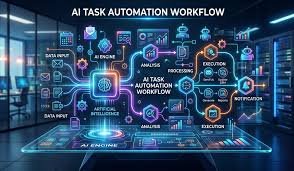
Artificial Intelligence (AI) and automation are transforming how individuals and businesses work. Tasks that once required hours can now be completed in minutes using the right tools and workflows.
From content creation and customer support to data analysis and workflow automation, AI is helping people work smarter, faster, and more efficiently.
In this tutorial, you’ll learn how to use AI and automation tools to streamline your tasks and improve productivity—even if you’re a beginner.
What Is AI Automation?
AI automation combines artificial intelligence with automated workflows to perform tasks without human intervention.
Tools like ChatGPT and Zapier are widely used to automate workflows and tasks.
Benefits of AI & Automation
Save Time
Automate repetitive tasks.
Increase Productivity
Focus on high-value work.
Reduce Errors
Minimize human mistakes.
Scale Operations
Handle more tasks without extra effort.
Common Use Cases
Content Creation
- Blog writing
- Social media posts
- Email campaigns
Customer Support
- Chatbots
- Automated responses
Data Management
- Data entry
- Reporting
- Analysis
Marketing Automation
- Email sequences
- Lead generation
- Campaign management
Step-by-Step: Automating Tasks with AI
Step 1: Identify Repetitive Tasks
Look for tasks that are time-consuming and repetitive.
Step 2: Choose the Right Tools
Popular Tools
- ChatGPT → Content and writing
- Zapier → Workflow automation
- Make → Advanced automation
Step 3: Set Up Automation Workflows
Example Workflow
- New email received → Trigger automation
- AI processes content → Generates response
- System sends reply automatically
Step 4: Test Your Automation
Ensure everything works correctly.
Step 5: Optimize and Scale
Improve workflows and add more automations.
Example Automation Ideas
Social Media Posting
Schedule and generate posts automatically.
Email Marketing
Automate welcome sequences and campaigns.
Lead Management
Capture and organize leads.
Content Repurposing
Turn blogs into social media posts.
Best Practices
Start Simple
Begin with basic automations.
Monitor Performance
Track results and improve workflows.
Maintain Human Oversight
Review AI outputs for accuracy.
Secure Your Data
Protect sensitive information.
Common Mistakes to Avoid
Over-Automation
Automating everything without control.
Poor Tool Selection
Using tools that don’t fit your needs.
Ignoring Testing
Skipping testing can cause errors.
Lack of Monitoring
Not reviewing automation performance.
Advanced Automation Strategies
Multi-Step Workflows
Combine multiple tools and triggers.
AI-Powered Decision Making
Use AI to analyze and act on data.
Integration with Business Systems
Connect automation with CRM and databases.
Future of AI & Automation
Hyperautomation
Automating entire business processes.
AI Agents
Autonomous systems performing tasks.
Personalized Automation
Tailored workflows for individuals.
Integration Across Platforms
Seamless tool connectivity.
Final Thoughts
AI and automation are no longer optional—they are essential tools for staying competitive in today’s digital world. By automating repetitive tasks and leveraging AI, individuals and businesses can save time, increase productivity, and scale efficiently.
The key is to start small, choose the right tools, and continuously improve your workflows.
Mastering AI automation today will position you for success in the future.
SEO FAQs
Q: What is AI automation?
It is the use of AI to automate tasks and workflows.
Q: What tools can I use for automation?
ChatGPT, Zapier, and Make are popular options.
Q: Is AI automation difficult?
No, many tools are beginner-friendly.
Q: Can automation replace humans?
No, it enhances productivity but still requires oversight.