Artificial Intelligence and automation are no longer tools reserved for developers or large enterprises. Today, freelancers, entrepreneurs, marketers, and small businesses can use AI to automate workflows, improve productivity, and scale operations.
In this step-by-step tutorial guide, you’ll learn how to start using AI tools, automate repetitive tasks, and build simple AI-powered workflows — even without advanced technical skills.
Why AI & Automation Matter
AI and automation help you:
- Save time on repetitive tasks
- Reduce human error
- Improve decision-making
- Scale faster without hiring
- Increase productivity
The goal isn’t to replace humans — it’s to amplify efficiency.
1️⃣ Getting Started with AI Tools
Before building complex systems, start with AI-powered productivity platforms.
Popular AI Tools for Beginners:
- OpenAI – For AI writing, coding, research, and automation support
- Notion – AI-assisted documentation and knowledge management
- Canva – AI-powered content and design creation
Beginner Exercise:
- Use AI to draft a blog outline.
- Generate social media captions.
- Summarize a long document.
Start small and experiment.
2️⃣ Automating Repetitive Tasks with No-Code Tools
You don’t need programming skills to automate workflows.
Use Automation Platforms Like:
- Zapier
- Make
Example Automation Workflow:
- When a form is submitted →
- Automatically send confirmation email →
- Save data to Google Sheets →
- Notify you on Slack
This eliminates manual follow-ups.
3️⃣ Building Simple AI Workflows
Let’s create a practical AI automation example.
Tutorial: Automate Content Creation Workflow
Step 1: Idea Generation
Use AI to generate topic ideas.
Step 2: Outline Creation
Ask AI to structure headings and subtopics.
Step 3: Draft Writing
Generate first draft with AI assistance.
Step 4: Editing & Optimization
Refine tone, grammar, and SEO.
Step 5: Auto-Publishing
Connect CMS tools via automation platforms.
This entire process can reduce hours of work to minutes.
4️⃣ Using AI APIs for Developers (Intermediate Level)
If you have coding knowledge, you can integrate AI directly into applications.
Platforms like OpenAI provide APIs that allow developers to:
- Build chatbots
- Automate customer service
- Generate reports
- Analyze text and images
Basic Workflow:
- Get API key
- Make HTTP request
- Process response
- Display output in your app
This allows full customization.
5️⃣ Automating Business Operations
AI automation can streamline:
- Email responses
- Customer support tickets
- Lead qualification
- Invoice generation
- Social media scheduling
Example:
AI chatbot → Answers FAQs → Escalates complex issues → Logs ticket automatically.
This reduces operational costs.
6️⃣ AI for Data Analysis Automation
AI tools can analyze spreadsheets, generate insights, and forecast trends.
Automation Use Case:
- Upload sales data
- AI analyzes patterns
- Generates performance summary
- Sends weekly report automatically
Businesses use AI to move from raw data to decisions quickly.
7️⃣ Advanced Automation: AI Agents
AI agents can perform multi-step workflows independently.
Future automation includes:
- Autonomous email management
- AI research assistants
- Automated competitor analysis
- AI-powered marketing campaigns
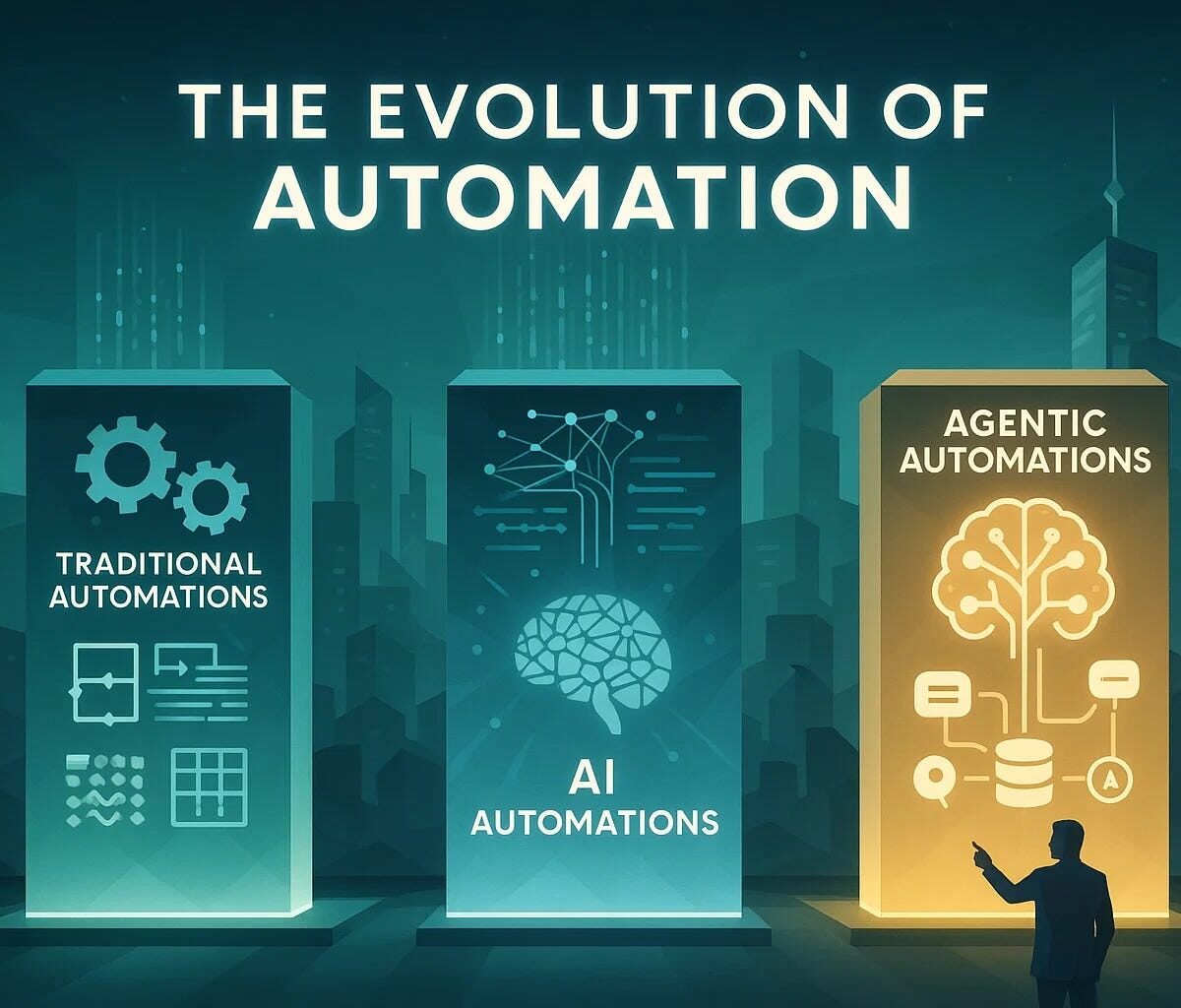
AI agents represent the next phase of automation evolution.
Best Practices for AI & Automation
✅ Start Simple
Automate one process at a time.
✅ Monitor Outputs
AI needs oversight to ensure quality.
✅ Protect Sensitive Data
Avoid exposing confidential information to unsecured systems.
✅ Continuously Optimize
Refine prompts and workflows regularly.
Common Mistakes to Avoid
- Automating broken processes
- Over-relying on AI without review
- Ignoring data security
- Expecting perfection from first attempt
AI improves with iteration.
Future of AI Automation
The next generation of AI automation will focus on:
- Fully autonomous workflows
- Voice-controlled task management
- AI-driven decision systems
- Hyper-personalized automation
Businesses that adopt early will gain competitive advantages.
Who Should Learn AI & Automation?
- Entrepreneurs
- Freelancers
- Marketers
- Developers
- Content creators
- Small business owners
AI skills are becoming essential in nearly every industry.
Final Thoughts
AI and automation are not just trends — they are productivity multipliers.
By learning how to integrate AI tools, build workflows, and automate repetitive tasks, you can work smarter, scale faster, and stay competitive in a digital-first world.
The best time to start automating was yesterday. The second-best time is today.
SEO FAQs
Q: Do I need coding skills to use AI automation?
No. Many no-code platforms allow automation without programming.
Q: What is the best AI tool for beginners?
AI writing and productivity platforms are great starting points.
Q: Is AI automation expensive?
Many tools offer free plans, making it accessible for individuals and small businesses.
Q: Can AI fully automate my business?
AI can automate many tasks, but human oversight remains important.