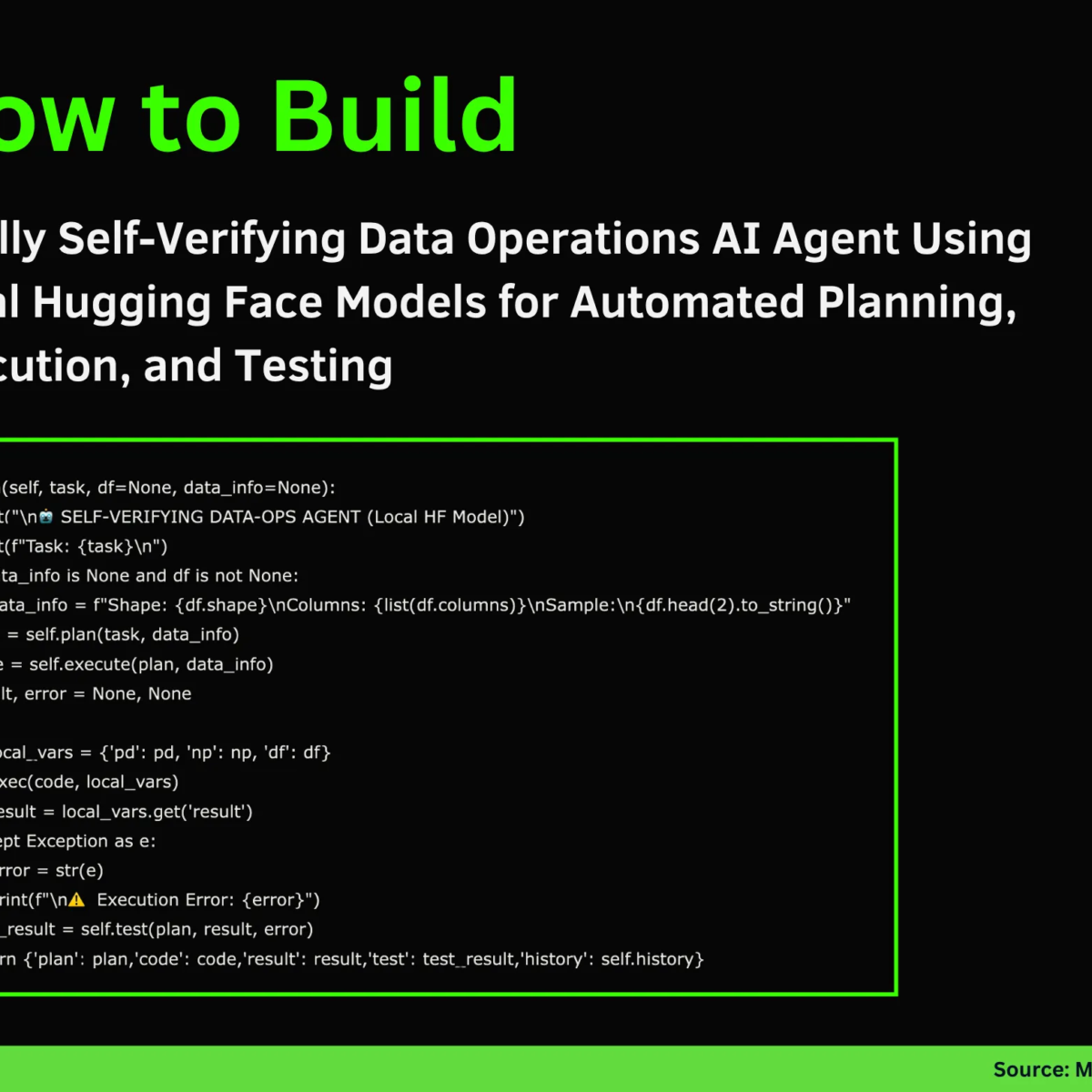
Building a Self-Verifying DataOps AIAgent: An End-to-End Automation Framework
In the age of data-driven decision-making, the efficiency of data operations is paramount. Traditional methods often involve considerable manual effort, leading to potential errors and inefficiencies. In this tutorial, we explore a cutting-edge approach to automate data operations through a self-verifying DataOps AI Agent, leveraging Hugging Face models, specifically Microsoft’s Phi-2 model. This article walks through the framework’s design, implementation, and operational phases.
The Architecture of the DataOps Agent
Our DataOps AI Agent is designed with three intelligent roles: Planner, Executor, and Tester. Each role has distinct responsibilities that contribute to the automation of data operations:
-
Planner: This component creates a detailed execution strategy in JSON format, outlining the steps, expected outputs, and validation criteria.
-
Executor: This role is tasked with writing and running code using Python’s Pandas library to perform data transformations or analyses based on the execution plan provided by the Planner.
- Tester: Once the execution is complete, the Tester verifies the output against the expected results using predetermined criteria, ensuring accuracy and consistency.
Setting Up the Environment
To begin our journey, we need to ensure we have the necessary libraries installed. The following code snippet sets up our environment in Google Colab:
python
!pip install -q transformers accelerate bitsandbytes scipy
Loading the Model
Now, we load the Phi-2 model locally. The LocalLLM class initializes the tokenizer and model to support both CPU and GPU environments efficiently:
python
from transformers import AutoTokenizer, AutoModelForCausalLM, pipeline, BitsAndBytesConfig
MODEL_NAME = "microsoft/phi-2"
class LocalLLM:
def init(self, model_name=MODEL_NAME, use_8bit=False):
Load model logic
The generate function in this class allows us to produce text outputs based on a given prompt while controlling various parameters like temperature and sampling strategy.
Defining Roles with System Prompts
With our model loaded, we proceed to define the system prompts for each of the agent’s roles. This ensures that each component has a clear understanding of its objective:
- Planner Prompt: Guides the Planner to create a JSON representation of the execution strategy.
python
PLANNER_PROMPT = """You are a Data Operations Planner. Create a detailed execution plan as valid JSON."""
- Executor Prompt: Directs the Executor to write accurate Python code using Pandas.
python
EXECUTOR_PROMPT = """You are a Data Operations Executor. Write Python code using Pandas."""
- Tester Prompt: Instructs the Tester to evaluate the output and confirm its quality.
python
TESTER_PROMPT = """You are a Data Operations Tester. Verify execution results."""
Together, these prompts lay the groundwork for our DataOps Agent.
The Execution Lifecycle
Planning Phase
In the planning phase, we employ the plan method, which generates a structured execution plan. The Planner considers the task at hand and the data’s characteristics:
python
def plan(self, task, data_info):
Logic to create an execution plan
By calling the generate method within this context, the agent can create detailed execution plans with clear steps and validation criteria.
Execution Phase
Next, it’s time for the Executor to spring into action. The execute method writes code to perform the operations defined in the planning phase:
python
def execute(self, plan, data_context):
Logic to generate Python code
The generated code is structured to operate on a DataFrame, ensuring that the final results are stored concisely.
Testing Phase
Once execution is complete, the agent enters the testing phase. By using the test function, we can validate the results against the plan’s criteria:
python
def test(self, plan, result, execution_error=None):
Logic to validate results
This step ensures that the output not only meets expectations but also adheres to the predefined validation criteria.
Running the Demo
To showcase the capabilities of our self-verifying DataOps Agent, we include two demo examples:
Basic Demo: Sales Data Aggregation
In this example, we aggregate sales data by product, illustrating the agent’s operational efficiency in a real-world business scenario.
python
def demo_basic(agent):
df = pd.DataFrame({‘product’:[‘A’,’B’,’A’,’C’,’B’,’A’,’C’],
‘sales’:[100,150,200,80,130,90,110]})
task = "Calculate total sales by product"
output = agent.run(task, df)
Advanced Demo: Customer Age Analysis
For the advanced demo, we analyze customer age to calculate average spending based on age groups.
python
def demo_advanced(agent):
df = pd.DataFrame({‘customer_id’:range(1,11),
‘age’:[25,34,45,23,56,38,29,41,52,31]})
task = "Calculate average spend by age group"
output = agent.run(task, df)
Conclusion: Leveraging Local LLMs
This tutorial demonstrated how to construct a fully autonomous and self-verifying DataOps system using local models. By integrating the phases of planning, execution, and testing, the DataOps Agent underscores the power of local language models like Phi-2 for lightweight automation.
For further exploration and hands-on coding, you can access the complete code in the provided GitHub repository. Happy coding!