Building an Advanced Computer-Use Agent from Scratch
In the rapidly evolving world of artificial intelligence, the creation of intelligent agents capable of reasoning, planning, and performing tasks in virtual environments has become a hot topic. This tutorial focuses on constructing a sophisticated computer-use agent from the ground up, capable of interacting with a simulated desktop environment using a local open-weight model.
Setting Up the Environment
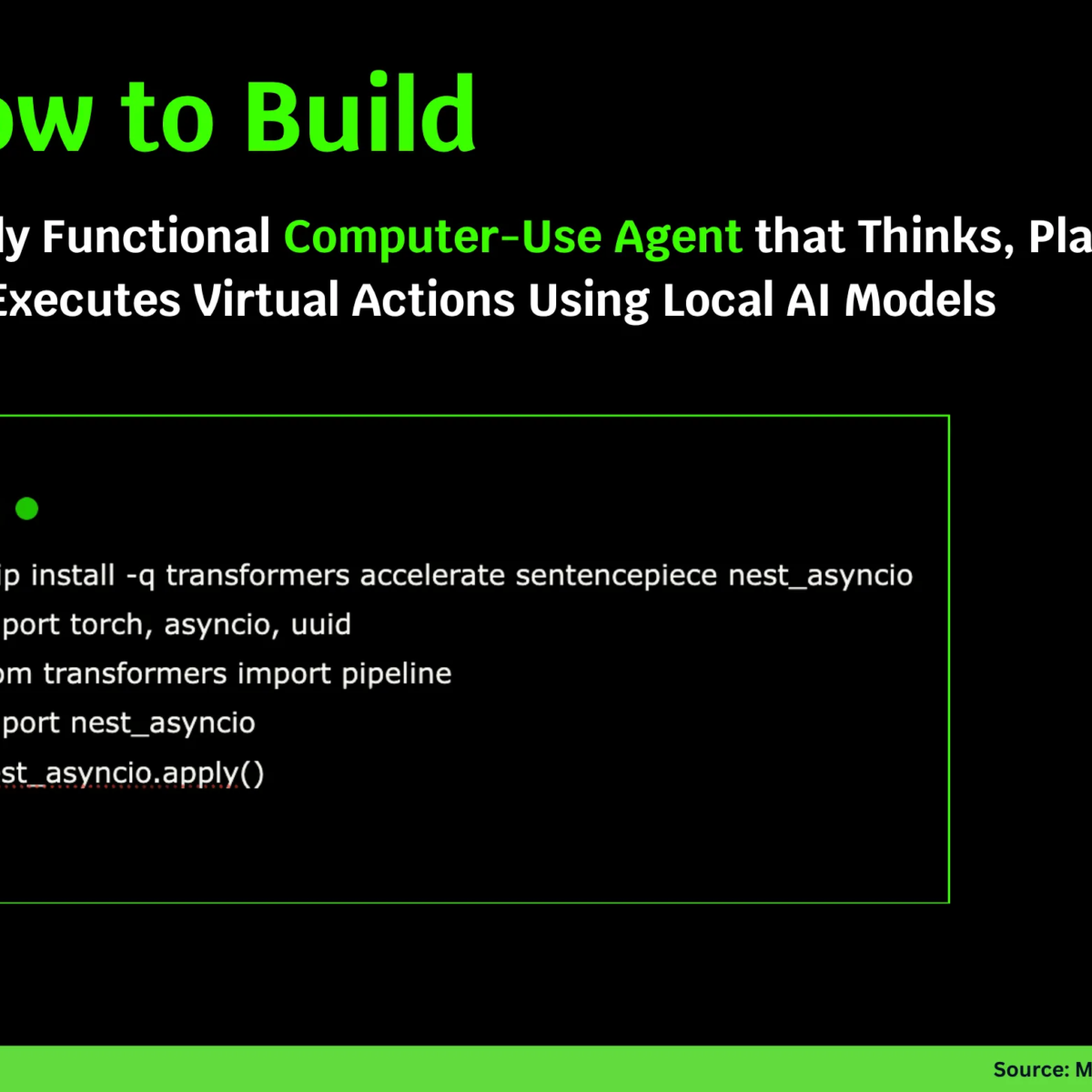
To kick things off, we need to prepare our development environment. Essential libraries like Transformers, Accelerate, and Nest Asyncio will be installed. These libraries enable seamless operation of local models and efficient asynchronous task execution in platforms like Google Colab.
python
!pip install -q transformers accelerate sentencepiece nest_asyncio
import torch, asyncio, uuid
from transformers import pipeline
import nest_asyncio
nest_asyncio.apply()
With these installations, we ensure that our agent functions smoothly, with no external dependencies to impede its performance.
Core Components of the Agent
Next, let’s define our core components, such as a lightweight local model and a virtual computer. We utilize Flan-T5 as our reasoning engine, implementing a simulated desktop environment that can execute various actions like opening applications, clicking buttons, and typing text.
Here’s a simple representation of our LocalLLM class, which uses a pre-trained model:
python
class LocalLLM:
def init(self, model_name="google/flan-t5-small", max_new_tokens=128):
self.pipe = pipeline("text2text-generation", model=model_name, device=0 if torch.cuda.is_available() else -1)
self.max_new_tokens = max_new_tokens
def generate(self, prompt: str) -> str:
out = self.pipe(prompt, max_new_tokens=self.max_new_tokens, temperature=0.0)[0]["generated_text"]
return out.strip()
The VirtualComputer class provides a simple representation of our simulated desktop, including browsing, note-taking, and email functionalities:
python
class VirtualComputer:
def init(self):
self.apps = {"browser": "https://example.com", "notes": "", "mail": ["Welcome to CUA", "Invoice #221", "Weekly Report"]}
self.focus = "browser"
self.screen = "Browser open at https://example.com\nSearch bar focused."
self.action_log = []
def screenshot(self):
return f"FOCUS:{self.focus}\nSCREEN:\n{self.screen}\nAPPS:{list(self.apps.keys())}"
def click(self, target: str):
Implementation for click action
def type(self, text: str):
Implementation for type action
With these classes, we have laid the groundwork for our agent’s reasoning capabilities and virtual interactions.
Introducing the ComputerTool Interface
A crucial step in our agent’s development is creating a ComputerTool interface. This interface acts as a communication bridge between the agent’s reasoning and the virtual desktop. We allow the agent to perform actions such as clicking, typing, and taking screenshots through structured commands.
Here’s how the ComputerTool interface is structured:
python
class ComputerTool:
def init(self, computer: VirtualComputer):
self.computer = computer
def run(self, command: str, argument: str = ""):
Implementation for executing commands
By creating this interface, we streamline the agent’s interaction with its environment, enabling more complex command executions.
The ComputerAgent
Introducing the ComputerAgent class, which serves as the intelligent controller of our system. This class is programmed to reason about user goals and determine appropriate actions within the simulated desktop environment.
python
class ComputerAgent:
def init(self, llm: LocalLLM, tool: ComputerTool, max_trajectory_budget: float = 5.0):
self.llm = llm
self.tool = tool
self.max_trajectory_budget = max_trajectory_budget
async def run(self, messages):
user_goal = messages[-1]["content"]
Reasoning and processing user goals
This class integrates the reasoning engine (Flan-T5) with the tool interface, enabling the agent to autonomously interact with its environment.
Bringing Everything Together
To demonstrate the capabilities of our intelligent agent, we will run a scenario where it interprets a user’s request, executes tasks accordingly, and updates its screen dynamically.
python
async def main_demo():
computer = VirtualComputer()
tool = ComputerTool(computer)
llm = LocalLLM()
agent = ComputerAgent(llm, tool, max_trajectory_budget=4)
messages = [{"role": "user", "content": "Open mail, read inbox subjects, and summarize."}]
Running the agent
This demo showcases the agent’s ability to reason, execute commands, and interact with the virtual environment coherently and effectively.
Conclusion
What we’ve built is not just a theoretical model, but a practical application demonstrating how local language models like Flan-T5 can power virtual desktop automation. This serves as a significant stepping stone in our understanding of intelligent agents, revealing the potential of combining natural language reasoning with virtual tool control.
For those interested in diving deeper, the complete code and instructional materials are available through the provided resources. This project opens doors to further advancements in autonomous systems and their applications in real-world scenarios.
Explore the FULL CODES here. You might also want to check out other tutorials and codes on our GitHub Page. Join our growing community on social media and stay updated on the latest in AI advancements!