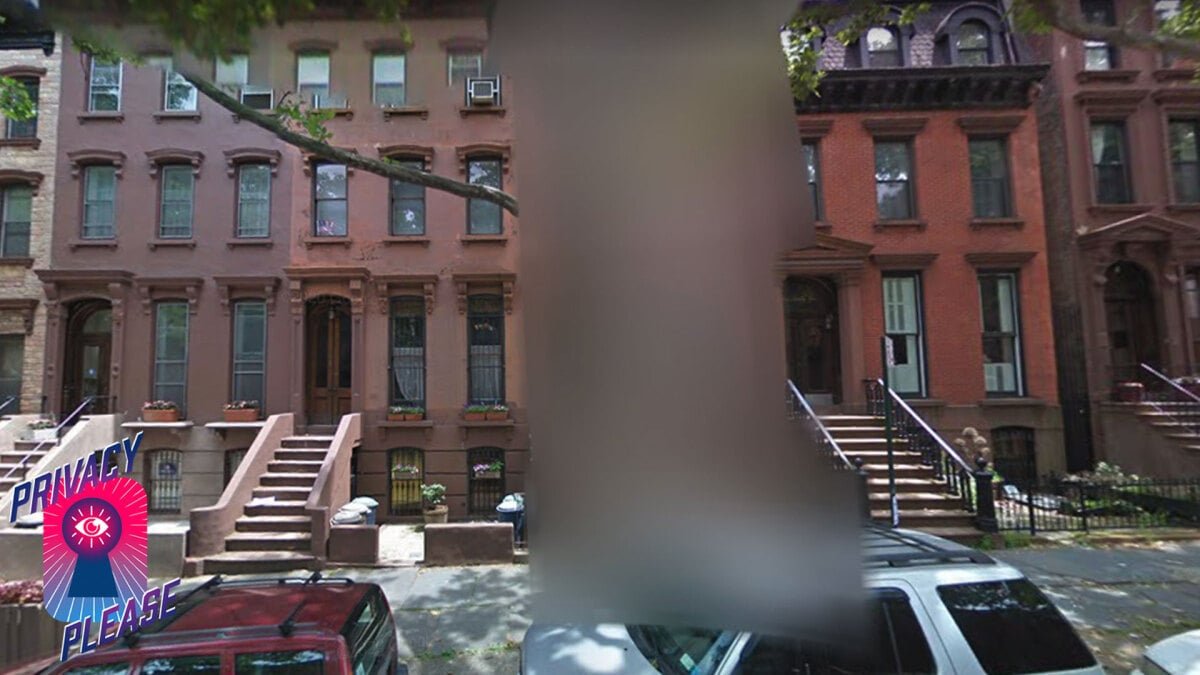
Your Privacy on Google Street View: How to Keep Your Home Safe from Prying Eyes
Google Street View has transformed our access to the world around us, offering a unique lens into various neighborhoods, famous landmarks, and even the quirky snapshots of everyday life. From intimate moments captured by surprise to bizarre happenings frozen in time, the platform showcases the world in vivid detail. However, these candid captures can sometimes expose more than intended, raising essential questions about privacy and safety.
The Dual Nature of Street View
While Street View provides invaluable assistance in navigation and exploration, it also brings potential privacy concerns. Many homeowners have found themselves in undesirable situations, with images of their homes or private activities publicly accessible online. This digital exposure can lead to worries about online stalking, unwanted surveillance, and even break-ins.
The Blurring Solution
Fortunately, Google allows homeowners to request a blurring of their property from Street View—a remedy that offers peace of mind. The process is straightforward, and homeowners can take proactive steps in just a few clicks to protect their privacy.
A Quick History of Privacy Concerns
Since its launch in 2007, Google Street View has faced several privacy challenges. One of the earliest incidents occurred in 2008 when the Minneapolis suburb of North Oaks raised a fuss about its inclusion in the service, leading Google to promptly remove those images. Similarly, in 2009, Privacy International lodged a complaint with the UK’s Information Commissioner’s Office, alleging that Google failed to anonymize individuals adequately. This sparked a public discourse on the ethical implications of digitally capturing private moments without consent.
The stakes only rose from there. In 2010, Google faced scrutiny when it was revealed that Street View vehicles had collected data from unencrypted Wi-Fi networks, an oversight that resulted in a hefty $13 million settlement due to class-action lawsuits. These occurrences highlight the ongoing tension between technological innovation and the right to privacy.
How to Request Blurring of Your Home
If you believe your home should not be visible on Google Street View, you can easily request it to be blurred. Here’s how:
Step 1: Navigate to Google Maps
Open Google Maps on your smartphone, desktop, or laptop and type in your home address.
Step 2: Enter Street View Mode
Drag the small yellow human icon, located in the bottom-right corner, onto the map at your address to enter Street View mode.
Step 3: Report a Problem
Once your home appears on the screen, click "Report a problem," found in the bottom-right corner.
Step 4: Center the Red Box
Position the red box around your home, then choose "My home" in the "Request blurring" dropdown menu.
Step 5: Explain Your Concern
In the text box that appears, briefly describe your reason for the request—safety concerns, privacy issues, etc.
Step 6: Submit Your Request
Provide your email address and click "Submit." Google will notify you when your request is reviewed and processed.
What Happens Next?
After submitting your blurring request, Google will send a confirmation email and might ask for further details about the area you’d like obscured. Note that this process includes a permanent change; once blurred, those images will be inaccessible to anyone viewing Street View.
Additional Privacy Measures
Aside from taking these steps with Google, consider submitting similar requests to other mapping services like Bing Maps, as maintaining your privacy across platforms is essential. As such images can sometimes serve as a gateway for potential intrusions, protecting your home from inadvertent exposure is wise.
Final Thoughts on Privacy
In a digital age where privacy can feel increasingly elusive, it’s vital to utilize the tools at your disposal to maintain your personal safety. The process to blur your home on Google Street View is quite user-friendly, ensuring your peace of mind while still enjoying the benefits of this remarkable service. Privacy is a fundamental component of personal security, and safeguarding it should always be a priority in our interconnected world.