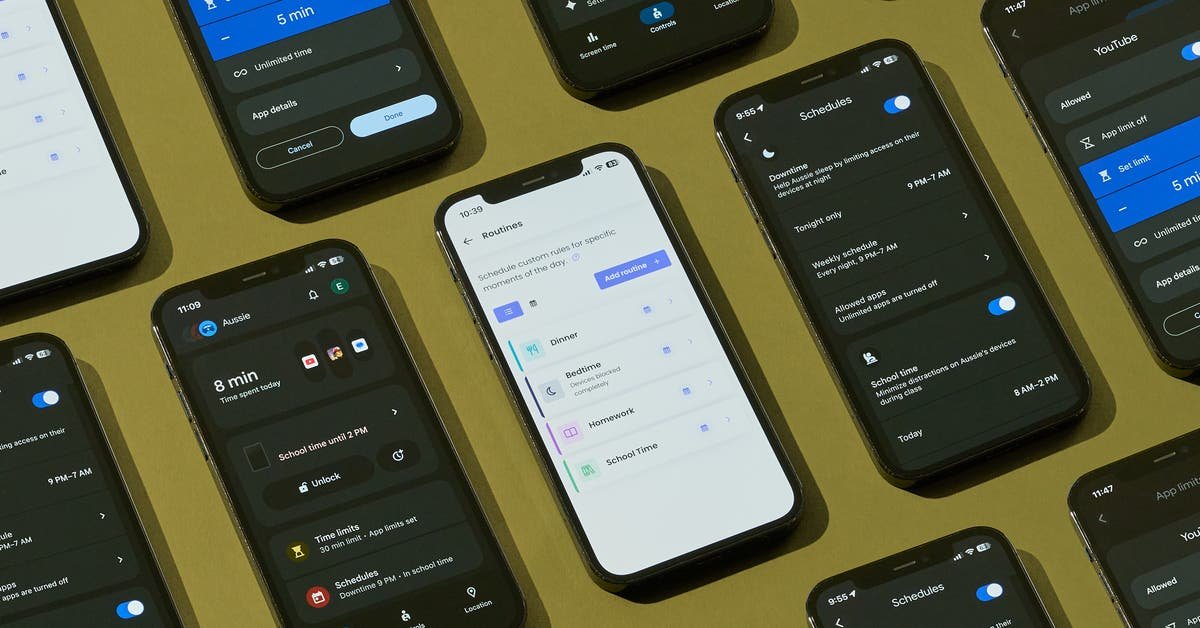
Understanding Parental Controls for Smartphones
As smartphones become increasingly integral to our daily lives, many parents grapple with the challenge of providing their children access to these devices while ensuring their safety and well-being. Parental controls are essential tools in this endeavor. This article explores how to select effective parental controls, what to look for in these tools, and the broader implications for children’s digital lives.
Key Functions of Parental Controls
When evaluating parental control apps, three primary functions stand out as essential:
-
Manage and Monitor Easily
The foundation of effective parental controls is ease of use. Parents should be able to set up the controls intuitively, modify settings swiftly, receive notifications, and monitor usage remotely. A user-friendly interface enhances the experience, allowing parents to adapt controls as their child grows or as circumstances change.
-
Cap Daily Screen Time
Effective parental controls allow parents to set clear limits on how much time their child can spend on their device. This includes caps on individual apps, entire categories (like games or social media), and overall device usage. The best tools enable you to block specific applications altogether, ensuring that children focus on essential tasks or activities without distractions.
-
Schedule Device Usage
Children often struggle to self-regulate their screen time. Parental control apps should allow parents to designate specific times when phone functionality is disabled. For instance, scheduling downtime during bedtime or school hours helps instill healthy digital habits.
Additional Features to Consider
While the primary functions above are crucial, there are additional features that can enhance the parental control experience. Although not weighted as heavily, these functions can provide valuable insights:
-
Usage Data and Analysis
Being able to review which apps your child uses and for how long can shed light on their digital habits. For some parents, this may help to foster discussions about responsible app usage. However, not every parent may find this level of detail necessary. -
Web and Content Filtering
Most parental control apps include some form of content filtering, sorting by age or content ratings. While testing filters, we noted their effectiveness and ease of circumvention. It’s worth considering that most filtering systems are not foolproof, and children often find ways to bypass them, so open dialogue about online safety remains essential. - Location Tracking
Although many apps have location tracking capabilities, we did not prioritize this feature as essential. Many parents may already utilize other platforms for locating family members, making this function less impactful in the realm of parental controls.
Considerations Beyond Digital Monitoring
In addition to app features, understanding the broader implications of giving a child their first smartphone is crucial. Often, the decision of when to offer a smartphone is a complex one. According to research, by age 8, approximately a quarter of U.S. children own their phones, an increase to half by age 11.
The convenience of easy family communication comes with complex challenges. Studies indicate that teens spend an alarming four and a half hours a day on their devices, primarily engaging with social media platforms like TikTok and YouTube. Experts warn about potential risks, including impacts on physical health, sleep quality, and mental well-being.
Deciding When to Provide a Smartphone
The conversation around introducing smartphones to children is evolving. Experts suggest considering whether a child genuinely needs a phone and emphasizing that the choice should not be rushed. Pediatrician Megan Moreno notes, “Handing over a phone is a watershed event for kids. Once they have a phone, they won’t ever not have a phone.” Decisions should factor family values, a child’s maturity, and their actual need for communication.
Setting Reasonable Limits
Once a child has received a smartphone, it’s beneficial to establish some boundaries:
-
Clear Rules
Define how much daily screen time is appropriate, including specific limits on social media and gaming, particularly during school nights. -
Screen-Free Times and Zones
The American Academy of Pediatrics recommends initiating screen-free times, such as family dinners, as well as potential screen-free zones within the home, like bedrooms. - Continuous Dialogue
No parental control system can replace sincere conversations about technology use. Initiating discussions about responsible phone behavior, privacy, and the importance of stepping away from screens fosters open communication and encourages responsible habits.
Resources for Parents
For deeper insights into managing children’s use of technology, parents can explore a variety of resources. The New York Times provides articles with advice from teens and strategies on navigating social media, while Common Sense Media offers research-driven insights. The American Academy of Pediatrics presents a family media planning tool with age-specific recommendations to balance screen time with other essential activities like sleep and active play.
As the digital landscape continues to evolve, empowering parents with knowledge about effective parental controls and fostering open communication with children is vital. It’s not merely about monitoring but scaffolding children’s interaction with technology thoughtfully and deliberately.