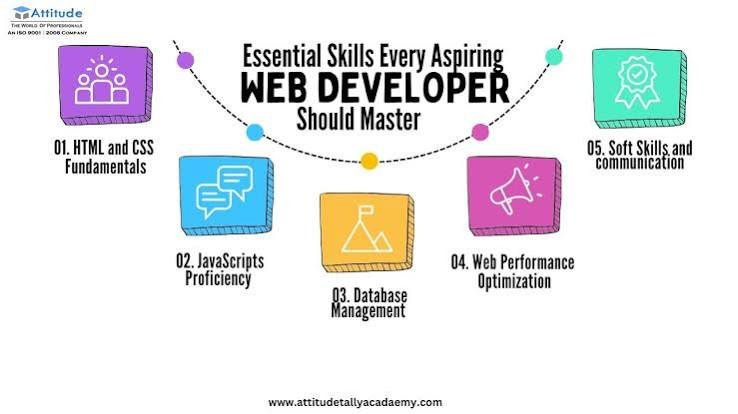
Software development is changing rapidly.
Developers today are expected to work with more than programming languages and traditional development environments. Modern software projects often involve APIs, cloud platforms, databases, version control, containers, automation, cybersecurity, artificial intelligence, testing frameworks, and deployment pipelines.
This expanding ecosystem creates opportunities for developers to build more powerful applications, but it also means there is more to learn.
Whether you are a beginner learning your first programming language or an experienced developer improving your workflow, understanding the fundamentals of modern development can help you build better software.
This developer-focused guide covers essential concepts, tools, workflows, security practices, debugging techniques, and emerging technologies that every developer should understand.
What Are Developer-Focused Tutorials?
Developer-focused tutorials are technical guides designed to help software developers learn how to build, test, deploy, maintain, and improve software.
Topics can include:
- Programming
- Web development
- APIs
- Databases
- Git and version control
- Debugging
- Testing
- Cloud development
- DevOps
- Cybersecurity
- Automation
- Artificial intelligence
- Performance optimization
- Deployment
The goal is not simply to explain technology but to show how developers can use it to solve practical problems.
1. Start With the Fundamentals
Before learning advanced frameworks and tools, developers should have a solid understanding of programming fundamentals.
Important concepts include:
- Variables
- Data types
- Functions
- Conditions
- Loops
- Arrays
- Objects
- Classes
- Error handling
- Data structures
- Algorithms
These concepts appear across many programming languages.
A developer who understands fundamentals can usually learn new languages and frameworks more efficiently.
2. Choose the Right Programming Language
There is no single programming language that is best for every project.
Different languages are commonly used for different purposes.
JavaScript and TypeScript
Widely used for:
- Web development
- Frontend applications
- Backend services
- Full-stack applications
Python
Commonly used for:
- Automation
- Data analysis
- Artificial intelligence
- Backend development
- Scripting
Java
Frequently used for:
- Enterprise applications
- Backend systems
- Android development
C#
Popular for:
- .NET applications
- Enterprise software
- Game development
Go
Often used for:
- Cloud services
- Backend systems
- Infrastructure tools
Rust
Known for:
- Performance
- Memory safety
- Systems programming
The best language depends on the project’s requirements, existing ecosystem, team expertise, and long-term maintenance needs.
3. Learn Git and Version Control
Version control is one of the most important skills for modern developers.
Git allows developers to track changes to their code and collaborate with other developers.
Basic Git concepts include:
- Repository
- Commit
- Branch
- Merge
- Pull request
- Remote repository
- Clone
- Push
- Pull
- Rebase
A simple workflow might look like:
Create branch → Write code → Test → Commit → Push → Review → Merge
Version control also provides a safety net when something goes wrong.
4. Write Meaningful Commit Messages
A commit message should communicate what changed.
Instead of:
“fixed stuff”
use something more descriptive, such as:
“Fix mobile navigation menu alignment”
Clear commit history makes projects easier to maintain and troubleshoot.
5. Understand APIs
APIs allow software systems to communicate with one another.
For example:
Frontend → API → Backend → Database
A web application might use an API to retrieve:
- User information
- Products
- Orders
- Payments
- Weather information
- Analytics
Developers should understand common concepts such as:
- HTTP
- Requests
- Responses
- Headers
- Authentication
- JSON
- Status codes
- REST
- Webhooks
6. Learn HTTP Status Codes
Understanding HTTP status codes makes debugging web applications much easier.
Common examples include:
200 — OK
The request was successful.
201 — Created
A resource was successfully created.
400 — Bad Request
The request contains invalid information.
401 — Unauthorized
Authentication is required or invalid.
403 — Forbidden
The server understood the request but refused access.
404 — Not Found
The requested resource could not be found.
429 — Too Many Requests
The client has sent too many requests within a given period.
500 — Internal Server Error
The server encountered an unexpected problem.
Knowing these codes helps developers quickly identify where an API request may have failed.
7. Learn Database Fundamentals
Most applications need to store information.
Developers should understand the difference between major database approaches.
Relational Databases
Examples include:
- PostgreSQL
- MySQL
- MariaDB
- Microsoft SQL Server
Relational databases organize data into structured tables.
Important concepts include:
- Tables
- Rows
- Columns
- Primary keys
- Foreign keys
- Relationships
- Indexes
- SQL queries
NoSQL Databases
NoSQL databases can use different data models.
Examples include document-oriented databases and key-value systems.
They can be useful for applications requiring flexible data structures or particular scalability patterns.
The right database depends on the application’s requirements rather than popularity alone.
8. Understand Authentication and Authorization
Authentication answers:
“Who are you?”
Authorization answers:
“What are you allowed to do?”
These concepts are fundamental to application security.
Authentication methods can include:
- Passwords
- Multi-factor authentication
- Passkeys
- OAuth
- OpenID Connect
- Session-based authentication
- Token-based authentication
Developers should avoid creating custom authentication systems unnecessarily when established, well-maintained solutions are available.
9. Learn Secure Coding Practices
Security should be considered throughout the development lifecycle.
Developers should understand common risks such as:
- SQL injection
- Cross-site scripting
- Cross-site request forgery
- Broken access control
- Insecure authentication
- Sensitive data exposure
- Dependency vulnerabilities
Basic security practices include:
- Validate input
- Encode output appropriately
- Use parameterized database queries
- Protect secrets
- Apply least privilege
- Keep dependencies updated
- Log security events appropriately
- Never trust unvalidated user input
10. Never Store Secrets Directly in Code
API keys, passwords, tokens, and other credentials should not be hard-coded into publicly accessible source code.
Instead, applications commonly use:
- Environment variables
- Secret-management systems
- Secure configuration services
A developer should also ensure that secrets are not accidentally committed to a version-control repository.
11. Learn Debugging
Debugging is a core development skill.
When an application fails, developers need to identify:
What happened?
Where did it happen?
Why did it happen?
How can it be fixed?
A useful debugging process is:
- Reproduce the problem.
- Read the error message.
- Identify the failing component.
- Inspect relevant variables and inputs.
- Check logs.
- Isolate the problem.
- Apply a small fix.
- Test the fix.
- Check for regressions.
12. Learn to Read Error Messages
One common beginner mistake is ignoring error messages.
An error often provides valuable information about:
- The file involved
- The line number
- The failing operation
- The type of error
Instead of immediately searching for the entire error online, developers should first understand what the message is telling them.
This builds stronger problem-solving skills.
13. Use Developer Tools
Modern browsers include powerful development tools.
Browser developer tools can help developers inspect:
- HTML
- CSS
- JavaScript
- Network requests
- Console errors
- Cookies
- Storage
- Performance
The Network panel is particularly useful when debugging APIs and frontend applications.
Developers can inspect:
Request → Headers → Payload → Response → Status Code
This can reveal why an application is failing to communicate with a backend service.
14. Learn Testing
Testing helps developers detect problems before users do.
Common testing approaches include:
Unit Testing
Tests individual functions or components.
Integration Testing
Tests interactions between components.
End-to-End Testing
Tests complete user workflows.
For example:
Open website → Log in → Add product → Checkout → Confirm order
Testing strategies depend on the type of application, but automated testing can significantly improve software reliability.
15. Write Maintainable Code
Code should not only work—it should be understandable.
Good practices include:
- Meaningful variable names
- Small functions
- Consistent formatting
- Clear architecture
- Avoiding unnecessary duplication
- Appropriate comments
- Sensible file organization
A developer should write code that another developer can understand later.
16. Avoid Overengineering
Developers sometimes make projects unnecessarily complicated.
Adding more frameworks, libraries, abstractions, or services does not automatically produce better software.
Before adding a technology, ask:
What problem does this solve?
If there is no clear answer, the dependency may not be necessary.
Simple solutions are often easier to test, secure, maintain, and deploy.
17. Understand Package Management
Modern development frequently depends on external libraries.
Package managers help developers install and manage these dependencies.
Examples include:
- npm
- pnpm
- Yarn
- pip
- Composer
- Maven
- NuGet
Developers should understand how dependencies are installed, updated, locked, and removed.
18. Keep Dependencies Updated
Third-party libraries can contain bugs and security vulnerabilities.
Developers should regularly review dependencies and update them when appropriate.
However, blindly updating every package can introduce compatibility problems.
A better approach is:
Review → Test → Update → Verify
Automated dependency scanning can also help identify known vulnerabilities.
19. Understand Environment Variables
Applications often behave differently depending on their environment.
Common environments include:
- Development
- Testing
- Staging
- Production
Environment variables can be used for configuration such as:
- API endpoints
- Database connections
- Feature flags
- Application settings
Sensitive values should be handled securely.
20. Learn Deployment Basics
Writing software is only part of development.
Developers also need to understand how applications reach users.
A typical deployment process might look like:
Code → Build → Test → Package → Deploy → Monitor
Deployment environments may include:
- Cloud platforms
- Virtual servers
- Containers
- Managed hosting
- Serverless platforms
Understanding deployment makes developers more effective beyond the local development environment.
21. Learn the Basics of Docker
Containers provide a consistent way to package applications and their dependencies.
Docker is widely used for container-based development.
A simplified workflow is:
Application + Dependencies → Container Image → Container → Deployment
Containers can reduce the “works on my machine” problem by creating more consistent environments.
22. Understand CI/CD
CI/CD stands for Continuous Integration and Continuous Delivery/Deployment.
A CI/CD pipeline can automatically:
- Retrieve code
- Install dependencies
- Run tests
- Build the application
- Scan for problems
- Deploy the application
Automation reduces manual deployment work and can improve consistency.
23. Learn Cloud Development
Modern applications increasingly run on cloud infrastructure.
Developers should understand basic cloud concepts such as:
- Compute
- Storage
- Databases
- Networking
- Identity
- Monitoring
- Scaling
Major cloud providers offer many services, but developers should first understand the underlying concepts rather than memorizing provider-specific products.
24. Build With APIs and Webhooks
APIs allow applications to request information or perform actions.
Webhooks work differently.
A webhook allows one system to notify another system when an event occurs.
For example:
Payment completed → Payment service sends webhook → Application updates order
Webhooks are widely used in:
- Payments
- E-commerce
- Automation
- CRM systems
- Messaging
- SaaS integrations
Developers should verify webhook signatures where supported and design webhook handlers to safely handle duplicate or delayed events.
25. Learn Performance Optimization
An application that works but responds slowly can still create a poor user experience.
Performance optimization can involve:
- Efficient database queries
- Caching
- Image optimization
- Code splitting
- Lazy loading
- Compression
- CDN usage
- Reducing unnecessary network requests
Developers should measure performance before optimizing.
Measure → Identify bottleneck → Optimize → Measure again
26. Accessibility Should Be Part of Development
Accessibility ensures applications can be used by people with different abilities.
Developers should consider:
- Keyboard navigation
- Semantic HTML
- Screen readers
- Color contrast
- Form labels
- Focus states
- Alternative text
- Accessible error messages
Accessibility is not simply a design concern. It is also a development responsibility.
27. Learn AI Coding Tools
Artificial intelligence is increasingly becoming part of developer workflows.
AI coding tools can assist with:
- Code generation
- Code explanation
- Debugging
- Documentation
- Refactoring
- Test generation
- SQL queries
- Brainstorming
However, developers should review generated code carefully.
AI-generated code can contain:
- Logic errors
- Security vulnerabilities
- Outdated approaches
- Incorrect assumptions
- Unnecessary complexity
AI should therefore be treated as a development assistant rather than an unquestionable authority.
28. How to Use AI Effectively as a Developer
Instead of asking:
“Build my entire application.”
developers can provide smaller, well-defined tasks.
For example:
“Explain why this function returns undefined when the input array is empty.”
Or:
“Write unit tests for this function and include edge cases.”
Or:
“Review this database query for performance problems.”
Specific requests usually make AI assistance more useful.
29. Understand GitHub and Collaborative Development
Modern software development is often collaborative.
Developers should understand:
- Pull requests
- Code reviews
- Branch protection
- Issues
- Discussions
- Releases
- Repository permissions
Code review is not simply about finding mistakes.
It can also improve:
- Maintainability
- Security
- Architecture
- Documentation
- Knowledge sharing
30. Learn How to Read Documentation
Strong developers know how to find answers independently.
Official documentation should generally be one of the first places to look when learning a framework, library, API, or platform.
A useful research process is:
Documentation → Examples → Small experiment → Test → Implementation
Learning how to read documentation is often more valuable than memorizing every API.
Common Developer Mistakes to Avoid
Copying Code Without Understanding It
Code found online or generated by AI should be understood before being integrated.
Ignoring Security
Security should not be treated as something to address only after development.
Using Too Many Dependencies
Every dependency adds maintenance and potential security considerations.
Skipping Testing
Small changes can sometimes cause unexpected problems.
Ignoring Documentation
Undocumented systems become harder to maintain.
Hard-Coding Configuration
Configuration should generally be separated from application logic.
Ignoring Error Handling
Applications should handle expected failures gracefully.
Failing to Monitor Production
Deployment is not the end of development.
A Practical Developer Workflow
A strong development workflow can look like this:
Step 1: Understand the Requirement
Define what needs to be built.
Step 2: Break the Problem Down
Divide the project into smaller tasks.
Step 3: Design the Solution
Think about architecture, data, APIs, and user flows.
Step 4: Create a Repository
Set up version control.
Step 5: Build Incrementally
Implement one feature at a time.
Step 6: Test
Verify functionality and edge cases.
Step 7: Review
Check code quality and security.
Step 8: Deploy
Move the tested application to the target environment.
Step 9: Monitor
Track errors, performance, and usage.
Step 10: Improve
Use real-world feedback to guide future development.
Developer Skills to Prioritize
Developers do not need to master everything simultaneously.
A useful learning progression is:
Beginner
- Programming fundamentals
- Git
- Command line
- HTML/CSS
- Basic JavaScript or another language
- Debugging
Intermediate
- APIs
- Databases
- Authentication
- Testing
- Deployment
- Security
- Frameworks
Advanced
- System architecture
- Cloud infrastructure
- Distributed systems
- DevOps
- Performance engineering
- Security engineering
- AI integration
The exact path depends on the developer’s career goals.
The Future of Developer-Focused Technology
The developer experience is likely to change significantly as AI becomes more integrated into software development.
Developers may increasingly describe desired functionality in natural language while AI systems assist with:
- Code generation
- Testing
- Documentation
- Debugging
- Deployment
- Monitoring
However, this does not eliminate the need for software engineering knowledge.
As AI handles more repetitive coding tasks, developers may spend more time on:
- Architecture
- System design
- Security
- Product decisions
- Testing
- Code review
- AI supervision
The ability to understand why software works will remain important even when AI helps produce more of the code.
Frequently Asked Questions
What should a beginner developer learn first?
Start with programming fundamentals, version control, debugging, basic web or application development, and problem-solving.
Is Git important for developers?
Yes. Git is one of the most widely used tools for tracking code changes and collaborating on software projects.
Should developers learn multiple programming languages?
Eventually, learning multiple languages can be useful, but mastering fundamental programming concepts is more important than collecting languages.
Are AI coding tools replacing developers?
AI coding tools can automate portions of development, but developers still need to understand requirements, architecture, security, testing, and business context.
How important is cybersecurity for developers?
Very important. Developers directly influence how applications handle authentication, user input, data, dependencies, and access control.
What is CI/CD?
CI/CD is a set of development practices and automation processes used to integrate code, run tests, build applications, and deliver software more reliably.
Should every developer learn Docker?
Not necessarily at the same depth, but understanding the basics of containers can be valuable for many modern development roles.
How can developers improve their skills?
Build real projects, read documentation, debug problems, review other people’s code, contribute to projects, and consistently practice.
What is the most important developer skill?
Problem-solving is one of the most transferable skills. Technologies change, but the ability to understand a problem and develop a reliable solution remains valuable.
Final Thoughts
Modern software development is no longer limited to writing code.
Developers need to understand the entire journey from idea to production—including planning, coding, version control, APIs, databases, testing, security, deployment, monitoring, and maintenance.
At the same time, AI is changing how developers perform many of these tasks.
The most successful developers will not necessarily be those who memorize the most syntax. They will be those who can solve problems, understand systems, evaluate technology, write maintainable software, protect applications, and use modern tools intelligently.
The best way to learn is through practice.
Choose a project, break it into smaller problems, build it step by step, test what you create, investigate your errors, and improve the result.
That cycle—build, break, debug, learn, and improve—remains one of the most effective ways to become a stronger developer.