
We’ve all been there: you’re engrossed in an entertaining TikTok video when suddenly, your finger slips. Before you know it, your feed refreshes, and that gem of a clip disappears into the ether. Maybe you laughed at a hilarious skit or marveled at a stunning dance routine, but now it’s simply gone from your feed. Luckily for you, there’s no need to despair! TikTok keeps a hidden log of everything you’ve viewed, making it easier than ever to retrieve those missed moments.
In this guide, we’ll take you through the steps to access your Watch History on TikTok, allowing you to revisit your favorite videos in no time. Whether you want to find a funny clip or rediscover a dance challenge that caught your eye, let’s get started!
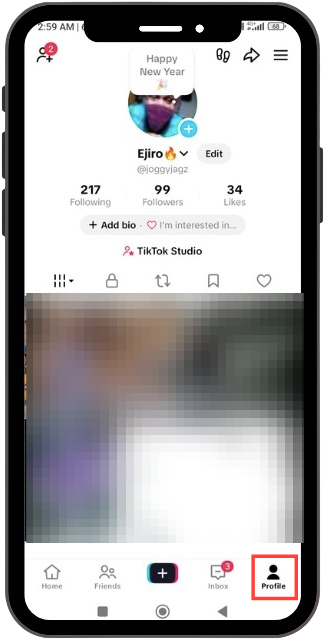
Step 1: Go to Profile
Open the TikTok app and tap on the Profile icon located at the bottom right corner of your screen. This step takes you to your personal profile page, where you can find all the necessary settings to access your watch history.
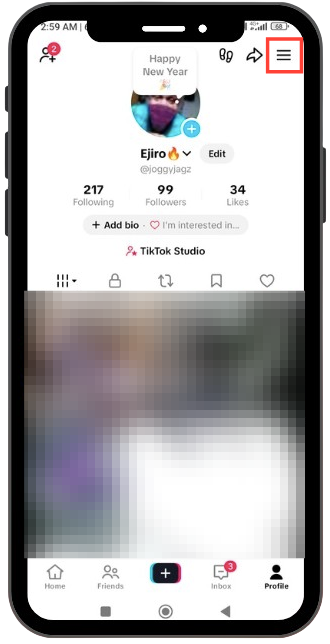
Step 2: Open the Menu
Now, tap the three horizontal lines, also known as the hamburger menu, which you’ll find in the top right corner of the screen. This action opens a slide-out menu, revealing several options that will guide you to your watch history.
Step 3: Select Activity Centre
A menu will appear at the bottom of your screen. Look for the option labelled Activity Centre, which features a clock icon, and tap on it. This is where you’ll find a comprehensive overview of your TikTok activity.
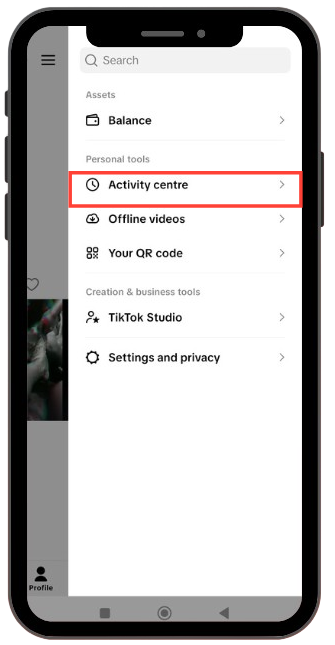
Note: In some versions of TikTok, if you don’t see “Activity Centre” right away, you may have to tap on “Settings and Privacy” first to find it within that menu.
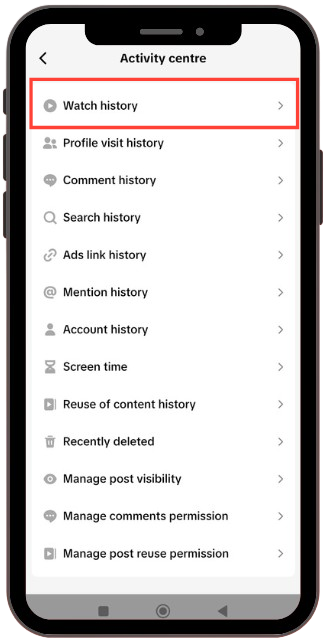
Step 4: Tap on Watch History
You are now just a tap away from retrieving your lost treasures. Look for the first option at the top labelled Watch History and give it a tap. This will lead you straight to the list of videos you’ve recently watched.
Step 5: View or Filter Your History
Now that you’re in the Watch History section, you can scroll through all the videos you’ve checked out recently. This feature makes it simple to find that elusive clip.
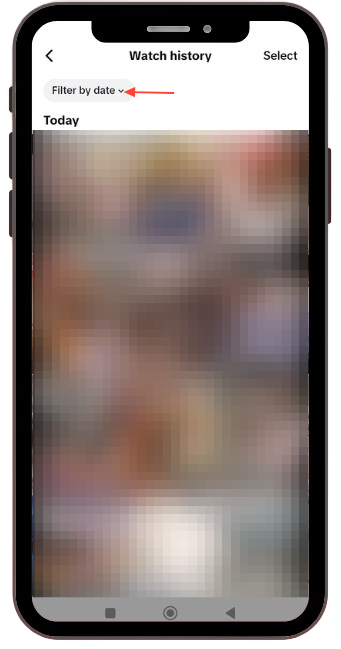
- To Filter: If you are trying to pinpoint a video from a specific time frame, tap the “Filter by Date” button located at the top left. This allows you to narrow down your search by selecting “Today,” “Yesterday,” “Last week,” or a specific date range that suits your needs.
- To Delete: If you wish to clear out any unwanted videos from your history, tap Select in the top-right corner, choose which videos you’d like to remove, and then hit delete.
TikTok Adds New Tool to Dial Down (or Up) AI-Generated Content
Users will be able to choose how much AI slop they want to indulge in.