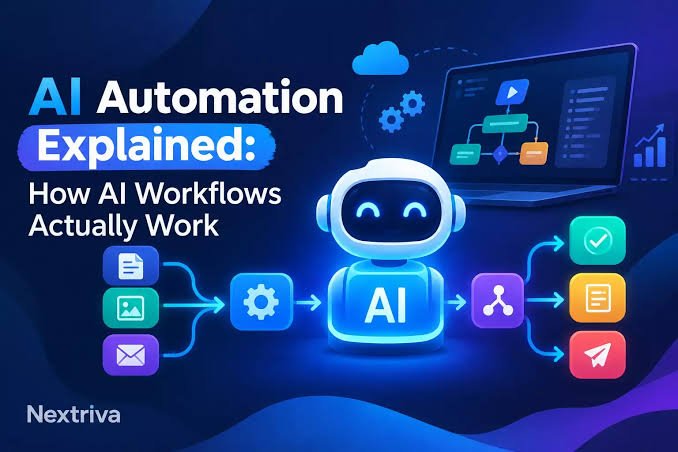
Artificial intelligence and automation are changing how individuals and businesses complete everyday tasks. Work that once required hours of manual effort can now be streamlined with AI-powered tools, workflow automation platforms, APIs, and intelligent agents.
From automatically organizing customer inquiries to generating reports, processing documents, qualifying leads, and connecting different business applications, AI and automation can help reduce repetitive work while allowing people to focus on higher-value activities.
However, getting started can feel complicated. There are countless AI tools, automation platforms, integrations, APIs, and technical terms to learn.
This guide provides a practical introduction to AI and automation tutorials, explaining how AI-powered workflows work, how to build them, common use cases, important security considerations, and how beginners can gradually develop more advanced automations.
What Is AI Automation?
AI automation combines artificial intelligence with automated workflows to perform tasks that traditionally require human input.
Traditional automation generally follows predefined rules.
For example:
When a customer submits a form → add the information to a spreadsheet → send a confirmation email.
AI automation adds an intelligence layer.
For example:
When a customer submits a message → analyze the message with AI → identify the customer’s intent → categorize the request → send it to the appropriate workflow → generate a suitable response.
The difference is that AI can interpret unstructured information such as text, documents, images, and conversations before deciding what should happen next.
AI vs. Traditional Automation
Understanding the difference between traditional automation and AI automation is important.
Traditional Automation
Traditional automation typically uses fixed rules.
A workflow might look like:
Trigger → Rule → Action
For example:
- A customer completes a form.
- The automation checks whether the form contains an email address.
- The customer is added to a CRM.
- A confirmation email is sent.
This works extremely well when the process is predictable.
AI Automation
AI automation introduces an AI model into the workflow.
A simplified process could be:
Trigger → Data → AI Analysis → Decision → Action
For example:
- A customer sends an email.
- AI reads the email.
- AI determines whether it is a sales inquiry, support request, or complaint.
- The workflow sends the message to the appropriate department.
- AI may generate a draft response.
This makes automation useful for processes involving language, classification, summarization, extraction, and decision support.
Why Learn AI & Automation?
AI automation can provide several practical benefits.
1. Reduce Repetitive Work
Many businesses spend significant time copying information between applications, organizing emails, creating reports, and processing routine requests.
Automation can handle many of these repetitive steps.
2. Save Time
An automated workflow can perform tasks within seconds that might otherwise require several manual steps.
3. Improve Consistency
A well-designed workflow follows the same process each time, reducing mistakes caused by manual data entry.
4. Process Large Volumes of Information
AI can analyze large numbers of emails, documents, support messages, or records and help categorize them.
5. Improve Productivity
Instead of spending time on repetitive administrative tasks, people can concentrate on strategy, creativity, customer relationships, and decision-making.
6. Connect Different Applications
Automation platforms can connect tools that do not normally work together.
For example:
Website → CRM → AI → Email → Spreadsheet
This creates a connected digital workflow.
The Main Components of an AI Automation Workflow
Most AI-powered workflows contain several basic components.
1. Trigger
The trigger is the event that starts the automation.
Common triggers include:
- A new form submission
- A new email
- A new CRM record
- A scheduled time
- A new order
- A webhook request
- A new database entry
- A customer message
For example:
New website form submission → Start workflow
2. Input Data
The workflow needs information to process.
Input data could include:
- Customer name
- Email address
- Message
- Product information
- Order details
- Documents
- Images
- Database records
The quality of the input often affects the quality of the final result.
3. AI Processing
The AI model analyzes the information.
Depending on the workflow, it might:
- Summarize text
- Classify a message
- Extract information
- Translate content
- Generate text
- Analyze sentiment
- Identify intent
- Answer questions
- Convert unstructured data into structured fields
4. Logic
The workflow determines what should happen next.
For example:
If AI identifies a sales inquiry → send to sales
If AI identifies a support issue → send to support
If AI confidence is low → request human review
Logic is particularly important because AI should not necessarily control every decision automatically.
5. Action
The action is what the automation does after processing the information.
Examples include:
- Sending an email
- Creating a CRM record
- Updating a database
- Sending a notification
- Creating a task
- Generating a document
- Updating a spreadsheet
- Sending information to another application
6. Human Review
Some workflows should include human approval.
For example:
AI generates a customer response → employee reviews it → response is sent
Human review can be particularly useful for sensitive, financial, legal, customer-facing, or high-impact workflows.
How to Build Your First AI Automation
If you are new to AI automation, start with a small workflow.
Step 1: Identify a Repetitive Task
Look at your daily work and find something that happens repeatedly.
Examples:
- Sorting emails
- Copying leads into a CRM
- Creating summaries
- Generating reports
- Processing contact forms
- Organizing customer requests
- Sending notifications
Choose a process that is simple and predictable.
Step 2: Map the Existing Process
Write down every step.
For example:
- Customer submits a form.
- Business receives the information.
- Someone reads the message.
- The request is categorized.
- Customer information is added to the CRM.
- A response is prepared.
- Customer receives a reply.
Once the process is mapped, look for steps that can be automated.
Step 3: Decide Where AI Is Actually Needed
Not every step requires AI.
For example:
Form submission → CRM
does not necessarily need AI.
But:
Read customer message → determine intent
may benefit from AI.
A good automation uses AI where interpretation or generation is necessary rather than adding AI simply because it is available.
Step 4: Choose Your Automation Platform
Depending on your technical experience, you can use:
- No-code automation platforms
- Low-code workflow builders
- APIs
- Webhooks
- Custom applications
- AI development frameworks
Beginners can start with visual workflow builders before moving into more technical integrations.
Step 5: Connect Your Applications
Connect the applications involved in the process.
For example:
Website → Automation Platform → AI API → CRM → Email
Make sure each connection has the required permissions.
Step 6: Create the AI Instruction
The AI needs clear instructions.
Instead of simply asking:
Analyze this message.
You can provide a structured instruction such as:
Determine whether this customer message is a sales inquiry, support request, complaint, or general question. Return only the category and a short explanation.
Clear instructions generally make workflow outputs easier to process.
Step 7: Structure the Output
Structured outputs are especially useful for automation.
Instead of receiving a long paragraph, you may want something like:
Category: Sales
Priority: High
Customer_Name: John
Summary: Customer is asking about enterprise pricing.
Structured information can then be passed to another application.
Step 8: Add Conditions
Create rules based on the AI output.
For example:
Sales → CRM
Support → Help Desk
Complaint → Human Review
Unknown → Manual Review
Step 9: Test the Workflow
Never assume an automation works correctly just because one test succeeded.
Test:
- Normal inputs
- Empty fields
- Unexpected messages
- Long messages
- Incorrect information
- Duplicate submissions
- API failures
- AI errors
Testing helps reveal problems before the workflow is used in production.
Practical AI Automation Examples
There are many ways to use AI automation.
AI Email Automation
An AI email workflow could:
- Detect a new email.
- Read the content.
- Classify the message.
- Summarize the request.
- Assign a priority.
- Create a task.
- Generate a draft response.
This can help teams manage large email volumes.
AI Lead Qualification
A sales workflow could automatically analyze incoming leads.
For example:
Website form → AI qualification → CRM → sales notification
AI could identify:
- Industry
- Company size
- Customer needs
- Budget information
- Product interest
- Urgency
The workflow could then assign leads to the appropriate sales process.
AI Customer Support
AI can help categorize customer questions and provide draft responses.
A workflow might look like:
Customer message → AI classification → Knowledge source → Response draft → Human approval
This can help support teams handle routine questions more efficiently.
AI Content Automation
Content teams can automate parts of the content process.
For example:
Topic → Research → AI outline → Draft → Human editing → CMS
Human review remains important because AI-generated content can contain factual errors or lack the appropriate brand voice.
Document Processing
AI can extract information from documents such as:
- Invoices
- Applications
- Forms
- Reports
- Contracts
- Receipts
A workflow could extract relevant fields and place them into a database or accounting system.
Meeting Automation
A meeting workflow can:
- Receive a meeting transcript.
- Summarize the discussion.
- Identify action items.
- Identify decisions.
- Create tasks.
- Send the summary to participants.
This can reduce the administrative work associated with meetings.
AI Automation for Small Businesses
Small businesses do not necessarily need complex AI systems.
Simple automations can already provide significant value.
For example:
Customer Inquiry Workflow
Website form → AI classification → CRM → notification
Review Workflow
New customer review → AI sentiment analysis → notification
Appointment Workflow
Booking → confirmation → reminder → follow-up
Lead Workflow
Lead form → AI qualification → CRM → sales notification
Reporting Workflow
Business data → analysis → report → email
The best starting point is usually a process that happens frequently and has a clear business benefit.
AI Automation for E-Commerce
E-commerce businesses can use AI automation throughout the customer journey.
Possible applications include:
- Product description generation
- Customer support classification
- Order notifications
- Review analysis
- Product recommendations
- Inventory alerts
- Lead qualification
- Abandoned-cart workflows
- Marketing segmentation
- Customer feedback analysis
For example:
New product added → AI generates draft description → human review → publish
Automation can reduce repetitive administrative work while keeping humans involved in important decisions.
AI Automation With APIs
APIs are an important part of advanced automation.
An API, or Application Programming Interface, allows software applications to communicate with each other.
For example:
Website → API → AI service → Automation platform → CRM
A website might send customer information to an AI service through an API, receive a response, and then pass that response to another application.
APIs are especially useful when an application does not have a direct integration with your automation platform.
What Are Webhooks?
A webhook allows one system to notify another system when an event happens.
For example:
Payment completed → webhook → automation workflow
The receiving workflow can then perform additional actions.
Webhooks are useful for real-time integrations involving:
- Payments
- Forms
- Orders
- Applications
- CRM events
- SaaS platforms
- Custom software
No-Code vs Low-Code vs Custom AI Automation
There are several approaches to building automations.
No-Code Automation
No-code platforms use visual interfaces.
They are useful for:
- Beginners
- Freelancers
- Small businesses
- Marketing teams
- Administrative workflows
You can often connect applications without writing traditional software code.
Low-Code Automation
Low-code platforms provide visual tools while allowing more advanced customization.
They are useful when you need:
- Custom logic
- API requests
- Webhooks
- Data transformation
- Advanced conditions
Custom Development
Developers can build AI automation directly into applications using programming languages and APIs.
This provides greater control but generally requires more technical knowledge.
AI Agents vs Traditional Automation
AI agents are often discussed alongside AI automation, but they are not exactly the same thing.
A traditional workflow usually follows a predetermined sequence.
An AI agent may be given a goal and use available tools to determine which actions should be taken.
For example:
Traditional automation:
Form → AI → CRM → Email
Agent-based workflow:
Goal → Analyze information → Decide which tools are needed → Execute actions → Evaluate result
Agents can be useful for more dynamic tasks, but they also introduce additional complexity.
They should therefore be tested carefully and given appropriate permissions.
Common AI Automation Mistakes
1. Automating Everything
Not every task should be automated.
Some decisions require human judgment.
2. Using AI Where Rules Are Enough
If a simple rule solves the problem reliably, adding an AI model may increase cost and complexity unnecessarily.
3. Poor Instructions
Vague prompts can produce inconsistent outputs.
Use clear instructions and define the desired format.
4. Ignoring Errors
Every external service can experience errors.
Your workflow should have fallback behavior.
5. No Human Review
High-impact decisions should generally have appropriate human oversight.
6. Poor Data Quality
AI cannot reliably compensate for missing, inaccurate, or poorly structured information.
7. Ignoring Security
Automation often connects multiple business systems. Poorly configured permissions can create security risks.
AI Automation Security Best Practices
Security should be part of the workflow design from the beginning.
Use Minimum Permissions
Give integrations only the permissions they actually require.
Protect API Credentials
API keys and authentication tokens should never be exposed publicly.
Avoid Sending Unnecessary Personal Data
Only send the information required for the AI task.
Review Third-Party Integrations
Understand what applications your workflow connects to and what data they receive.
Log Important Events
Keep useful records of workflow activity so problems can be investigated.
Add Human Approval Where Appropriate
Sensitive operations should not necessarily happen automatically.
Test Failure Scenarios
Consider what happens if:
- The AI service fails.
- The API times out.
- The wrong data is received.
- A workflow runs twice.
- A customer submits malicious content.
Security and reliability should be treated as part of automation—not as an afterthought.
How to Improve AI Workflow Reliability
A useful automation is not just one that works. It should work consistently.
Add Validation
Check that required fields exist before continuing.
Use Structured Data
Structured outputs make it easier for other applications to interpret AI results.
Create Fallbacks
If AI fails, route the task to another process or human.
Prevent Duplicate Actions
Use unique IDs or other mechanisms to prevent the same event from being processed multiple times.
Monitor Performance
Track:
- Successful runs
- Failed runs
- Processing time
- API usage
- AI costs
- Human-review rates
Monitoring helps identify problems and opportunities for improvement.
How Much Does AI Automation Cost?
The cost depends on the complexity of the workflow.
Potential costs include:
- Automation platform subscriptions
- AI API usage
- Database services
- Software subscriptions
- Hosting
- Developer time
- Maintenance
- Monitoring
A simple workflow may cost very little, while a high-volume business automation system can become significantly more expensive.
The goal should not simply be to minimize cost. Instead, consider the value created.
For example:
Automation cost = $50/month
If it saves dozens of hours of manual work each month, it may provide meaningful value.
AI Automation Projects for Beginners
If you are learning AI automation, start with small projects.
Beginner Project 1: AI Email Classifier
Build a workflow that:
Receives email → AI categorizes it → saves category
Beginner Project 2: AI Lead Summarizer
Build:
Lead form → AI summary → CRM
Beginner Project 3: Meeting Summarizer
Build:
Transcript → AI summary → email
Beginner Project 4: Customer Message Router
Build:
Customer message → AI classification → department
Beginner Project 5: AI Content Assistant
Build:
Topic → AI outline → document
These projects teach fundamental concepts without requiring a complicated architecture.
Intermediate AI Automation Projects
Once you understand basic workflows, you can move to more advanced projects.
Examples include:
- AI customer support systems
- Multi-step lead qualification
- Document extraction systems
- AI-powered reporting
- Automated research workflows
- CRM enrichment
- AI marketing workflows
- Knowledge-base assistants
- API-based AI applications
These projects introduce concepts such as APIs, webhooks, databases, structured outputs, and authentication.
Advanced AI Automation Projects
Advanced users can explore:
- AI agents
- Retrieval-augmented generation
- Multi-agent workflows
- Custom AI applications
- Advanced API integrations
- Vector databases
- Real-time AI systems
- Automated business intelligence
- AI-powered internal tools
- Custom workflow orchestration
At this level, software architecture, security, observability, cost management, and reliability become increasingly important.
How to Learn AI & Automation
A practical learning path can look like this:
Stage 1: Learn Automation Basics
Understand:
- Triggers
- Actions
- Conditions
- Filters
- Data mapping
- Webhooks
Stage 2: Learn AI Fundamentals
Understand:
- AI models
- Prompts
- Context
- Tokens
- Structured outputs
- Hallucinations
- Model limitations
Stage 3: Connect AI to Workflows
Build simple AI-powered workflows using an automation platform and an AI service.
Stage 4: Learn APIs
Understand:
- HTTP requests
- Authentication
- JSON
- API endpoints
- Request/response data
Stage 5: Build Real Projects
Solve actual problems rather than simply following tutorials.
Stage 6: Learn Reliability and Security
Study:
- Error handling
- Logging
- Permissions
- Data privacy
- Monitoring
- Testing
- Fallback systems
Stage 7: Explore AI Agents
Only after understanding basic workflows should you move toward more autonomous systems.
The Future of AI & Automation
AI automation is moving toward increasingly intelligent workflows.
Instead of simply connecting applications, future systems will increasingly understand context, interpret information, select tools, and perform multi-step tasks.
Several developments are particularly important.
AI Agents
AI agents can perform multiple steps toward a defined objective.
Multimodal AI
AI systems can increasingly work with combinations of:
- Text
- Images
- Audio
- Video
- Documents
Smaller and More Efficient Models
Smaller AI models may make it practical to run AI in more applications and devices.
AI-Native Software
Instead of adding AI to existing applications, some software products are being designed around AI from the beginning.
More Intelligent Business Workflows
Businesses may increasingly combine automation, AI, databases, APIs, and analytics into connected systems.
The challenge will be ensuring that these systems remain secure, reliable, transparent, and manageable.
Final Thoughts
AI and automation are not only technologies for large companies or experienced developers. Individuals, freelancers, startups, and small businesses can use relatively simple workflows to reduce repetitive work and improve productivity.
The most effective approach is to start small.
Identify a repetitive process, map the workflow, determine where AI adds genuine value, connect the necessary applications, test the automation, and monitor its performance.
As your skills improve, you can progress from simple no-code workflows to API integrations, advanced automation, AI agents, and custom AI applications.
The goal is not to automate everything. The goal is to automate the right things while keeping people involved where human judgment matters most.
Frequently Asked Questions
What is AI automation?
AI automation combines artificial intelligence with automated workflows to perform tasks involving activities such as classification, summarization, information extraction, content generation, and decision support.
Is AI automation difficult to learn?
Beginners can start with visual automation platforms and simple workflows. More advanced AI automation requires knowledge of APIs, webhooks, databases, programming, security, and software architecture.
Can I use AI automation without coding?
Yes. No-code and low-code automation platforms allow users to build many workflows without traditional programming.
What is the difference between automation and AI automation?
Traditional automation usually follows predefined rules, while AI automation can interpret information and generate or classify content using AI models.
What are good AI automation projects for beginners?
Email classification, lead summarization, meeting summaries, customer-message routing, and simple content workflows are useful beginner projects.
Can AI automation replace human workers?
AI automation can reduce or change certain repetitive tasks, but many workflows still require human judgment, oversight, creativity, accountability, and decision-making.
Are AI automations secure?
They can be, but security depends on how the workflow is designed. Businesses should protect credentials, minimize permissions, control sensitive data, test integrations, and monitor activity.
What are APIs used for in AI automation?
APIs allow different software systems and AI services to communicate, making it possible to exchange information and trigger actions between applications.
What are AI agents?
AI agents are systems that can pursue a defined objective by reasoning about tasks, selecting available tools, and carrying out multiple actions. They are generally more dynamic than traditional fixed workflows.
How should I start learning AI automation?
Start with simple workflow automation, learn how AI models process information, connect an AI service to a basic workflow, and gradually learn APIs, webhooks, databases, security, and advanced agent-based systems.