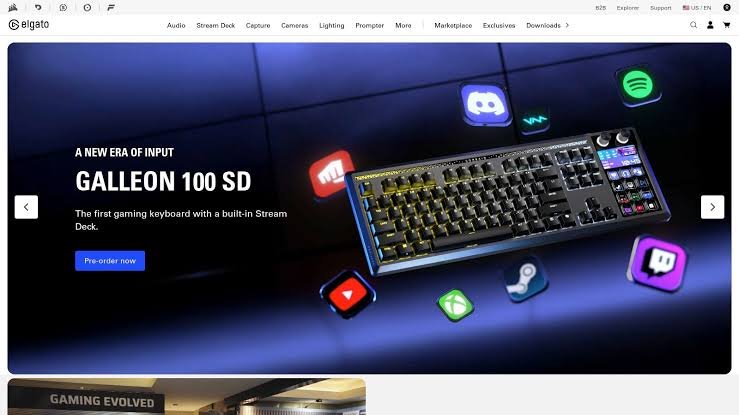
The creator economy has grown into one of the world’s fastest-expanding digital industries. Millions of people now build careers as YouTubers, bloggers, podcasters, social media influencers, designers, photographers, video editors, educators, freelancers, marketers, and entrepreneurs. At the center of this ecosystem are creator tools—software platforms and applications that make it easier to produce, edit, publish, manage, and monetize digital content.
Today’s creators no longer rely on a single application. Instead, they use an ecosystem of specialized tools for writing, graphic design, video editing, AI-assisted content generation, audio production, website creation, analytics, project management, and social media scheduling. Artificial intelligence has further accelerated creative workflows by automating repetitive tasks while allowing creators to focus on storytelling, strategy, and audience engagement.
Choosing the right tools depends on your goals, workflow, budget, and preferred platforms. This guide reviews the major categories of creator tools, highlights their strengths, compares common features, and offers practical advice for building an efficient content creation toolkit.
What Are Creator Tools?
Creator tools are software applications and online platforms designed to help individuals and teams create, edit, publish, distribute, and manage digital content.
These tools support activities such as:
- Writing articles
- Editing videos
- Designing graphics
- Recording podcasts
- Building websites
- Managing social media
- Creating presentations
- Producing newsletters
- Editing photos
- Generating AI content
- Tracking analytics
- Managing projects
Whether you’re a beginner or a professional, creator tools can significantly improve productivity and creative quality.
Why Creator Tools Matter
Modern creator tools help users:
- Produce content faster
- Improve visual quality
- Collaborate with teams
- Reach larger audiences
- Maintain brand consistency
- Automate repetitive tasks
- Measure content performance
- Generate revenue more efficiently
As digital competition increases, efficient workflows become a competitive advantage.
Categories of Creator Tools
AI Writing Tools
AI writing assistants help generate:
- Blog posts
- Product descriptions
- Marketing copy
- Email campaigns
- Social media captions
- Content ideas
- Article outlines
Key Features
- Grammar improvement
- Tone adjustment
- SEO assistance
- Multilingual writing
- Content summarization
- Brainstorming support
These tools accelerate drafting while benefiting from human editing for accuracy and originality.
Graphic Design Tools
Graphic design platforms help create:
- Logos
- Social media graphics
- Posters
- Infographics
- Presentations
- Marketing materials
- Brand assets
Useful Features
- Drag-and-drop editing
- Templates
- Brand kits
- Background removal
- Vector editing
- Collaborative workflows
Visual consistency strengthens brand identity.
Video Editing Software
Video remains one of the most engaging content formats.
Video editing tools support:
- Timeline editing
- Motion graphics
- Color correction
- Captions
- Audio enhancement
- Effects
- Transitions
- Export optimization
Creators use these tools for YouTube, TikTok, Instagram Reels, online courses, and business marketing.
AI Video Generation
AI-powered video platforms can assist with:
- Script-to-video creation
- AI voiceovers
- Digital presenters
- Automatic subtitles
- Translation
- Short-form video production
Human review remains important to ensure accuracy, quality, and authenticity.
Photo Editing Software
Photo editing applications provide features such as:
- Exposure adjustments
- Color grading
- Object removal
- Background replacement
- AI enhancements
- Batch editing
High-quality visuals improve audience engagement.
Audio Production Tools
Audio creators use software for:
- Podcast editing
- Voice recording
- Noise reduction
- Audio mastering
- Music production
- Sound effects
Clear audio is essential for podcasts, videos, and online courses.
Website Builders
Website creation tools help creators:
- Build portfolios
- Launch blogs
- Sell products
- Publish newsletters
- Offer online services
- Create landing pages
Many platforms include:
- SEO settings
- E-commerce
- Blogging systems
- Analytics
- Responsive templates
Social Media Management Tools
Managing multiple platforms becomes easier with scheduling software.
Features often include:
- Post scheduling
- Content calendars
- Analytics
- Team collaboration
- Comment management
- Performance tracking
These tools support consistent publishing.
Email Marketing Platforms
Email remains one of the highest-performing digital marketing channels.
Email tools help creators:
- Build subscriber lists
- Design newsletters
- Automate campaigns
- Segment audiences
- Track engagement
A strong email list provides direct communication with your audience.
Productivity & Project Management
Content creation involves planning as well as publishing.
Project management tools support:
- Task tracking
- Deadlines
- Collaboration
- Workflow automation
- File organization
- Team communication
Structured workflows improve consistency.
Features to Consider Before Choosing Creator Tools
When evaluating software, consider:
Ease of Use
An intuitive interface reduces the learning curve and speeds up production.
AI Capabilities
Modern creator tools increasingly include AI features such as:
- Content suggestions
- Automatic editing
- Image generation
- Caption creation
- Workflow automation
Choose features that genuinely improve your workflow.
Collaboration
If you work with editors, designers, or clients, look for:
- Shared workspaces
- Version history
- Comments
- Permission controls
- Real-time collaboration
Export Options
Ensure the platform supports the formats and resolutions you need for websites, social media, print, or broadcasting.
Integration
Effective creator tools often integrate with:
- Cloud storage
- Social media platforms
- CRM systems
- Analytics tools
- Project management software
- Marketing platforms
Integrated workflows save time.
Security
Evaluate:
- Account protection
- Multi-factor authentication
- File encryption
- Backup options
- Privacy controls
Protecting creative assets is essential.
Benefits of AI for Creators
Artificial intelligence supports creators by:
- Generating ideas
- Drafting content
- Editing text
- Creating visuals
- Improving audio
- Automating repetitive tasks
- Analyzing performance
- Personalizing recommendations
AI is most effective when combined with human creativity and editorial judgment.
Creator Workflows
A typical content creation process may include:
- Research
- Planning
- Writing
- Graphic design
- Video or audio production
- Editing
- SEO optimization
- Publishing
- Promotion
- Analytics review
Using specialized tools for each stage improves efficiency.
Choosing Tools by Creator Type
Bloggers
Recommended capabilities:
- Writing assistance
- SEO optimization
- Website management
- Image editing
- Analytics
YouTubers
Useful features include:
- Video editing
- Thumbnail design
- Audio enhancement
- Caption generation
- Analytics
Podcasters
Look for:
- Audio recording
- Editing
- Noise reduction
- Publishing
- Distribution
Designers
Essential features include:
- Vector graphics
- Photo editing
- Brand asset management
- Prototyping
- Collaboration
Social Media Creators
Useful capabilities include:
- Scheduling
- Short-form video editing
- Caption writing
- Analytics
- Content calendars
Common Challenges
Creators often face:
- Content burnout
- Tight deadlines
- Platform algorithm changes
- Copyright concerns
- Managing multiple channels
- Maintaining consistency
Efficient tools help reduce administrative work, allowing more time for creativity.
Trends in Creator Technology
AI Co-Creation
AI increasingly acts as a creative assistant rather than replacing creators.
Automation
Publishing, scheduling, and repetitive editing tasks continue to become more automated.
Cloud Collaboration
Remote teams increasingly collaborate through browser-based platforms.
Cross-Platform Publishing
Creators are producing content once and adapting it for multiple platforms.
Personalized Content
AI helps deliver more personalized experiences based on audience interests and behavior.
Tips for Building an Efficient Creator Toolkit
- Choose tools that integrate well together.
- Avoid paying for overlapping features.
- Learn keyboard shortcuts and automation features.
- Organize files with consistent naming conventions.
- Back up important projects regularly.
- Review analytics to improve future content.
- Keep software updated.
- Invest in learning new features over time.
Creator Tools Checklist
Before selecting a creator platform, ask yourself:
- ✅ Does it fit my content type?
- ✅ Is it easy to learn?
- ✅ Does it support collaboration?
- ✅ Can it integrate with my existing workflow?
- ✅ Does it include AI features that save time?
- ✅ Are export options sufficient?
- ✅ Is my data secure?
- ✅ Does it fit my budget?
- ✅ Can it scale as my audience grows?
- ✅ Does it provide reliable customer support?
Future of Creator Tools
The next generation of creator software is expected to include:
- Smarter AI assistants
- Voice-controlled editing
- Real-time multilingual content creation
- Advanced automation
- Improved collaboration
- Better accessibility features
- AI-powered analytics
- Personalized creative recommendations
- Integrated copyright detection
- Faster cloud rendering
These innovations will continue to streamline workflows while leaving creative direction and storytelling in human hands.
Conclusion
Creator tools have become the backbone of the modern digital economy, enabling individuals and businesses to produce professional-quality content faster than ever before. From AI-assisted writing and graphic design to video production, podcast editing, website creation, and analytics, today’s software ecosystem empowers creators to manage every stage of the content lifecycle more efficiently.
The best creator toolkit is not necessarily the one with the most features, but the one that aligns with your goals, budget, and workflow. Prioritizing ease of use, security, integration, collaboration, and scalability can help you build a sustainable creative process that grows alongside your audience.
As AI and automation continue to evolve, successful creators will combine these technologies with originality, critical thinking, and authentic storytelling. By staying informed about emerging tools and continuously refining your workflow, you can create higher-quality content, engage your audience more effectively, and remain competitive in the rapidly changing creator economy.
Frequently Asked Questions (FAQs)
1. What are creator tools?
Creator tools are software applications and online platforms that help individuals create, edit, publish, manage, and analyze digital content such as articles, videos, graphics, podcasts, websites, and social media posts.
2. Are AI creator tools replacing human creators?
No. AI tools are designed to assist with tasks such as drafting, editing, brainstorming, and automation. Human creativity, judgment, storytelling, and subject expertise remain essential for producing high-quality, trustworthy content.
3. Which creator tool category is most important?
It depends on your work. Bloggers may prioritize writing and SEO tools, video creators often need editing software, designers rely on graphic tools, and marketers benefit from analytics and social media management platforms.
4. How do I choose the right creator tools?
Consider your content type, budget, ease of use, integration with existing software, collaboration features, security, export options, and long-term scalability.
5. Can beginners use professional creator tools?
Yes. Many modern platforms offer beginner-friendly interfaces, templates, tutorials, and AI-assisted features that make it easier to create professional-quality content while developing new skills.