

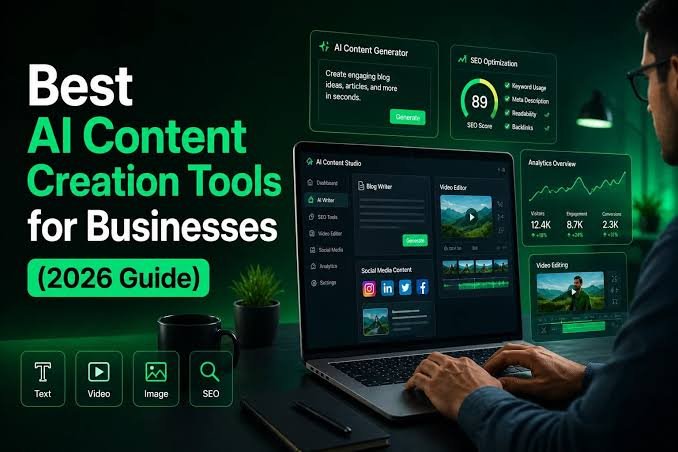
The creator economy has grown into one of the fastest-expanding sectors of the digital world. Millions of creators—including bloggers, YouTubers, podcasters, freelancers, educators, marketers, designers, and entrepreneurs—rely on digital tools to produce high-quality content, engage audiences, and build sustainable businesses.
Today’s creators do much more than publish videos or write articles. They design graphics, edit photos, record podcasts, create newsletters, manage communities, analyze performance metrics, schedule social media posts, and collaborate with teams. Fortunately, modern creator tools simplify these tasks through automation, cloud collaboration, artificial intelligence (AI), and intuitive workflows.
Choosing the right software can significantly improve productivity, creativity, and content quality. However, with hundreds of options available, finding the best tool for your needs can be challenging.
This guide reviews the top categories of creator tools, compares their strengths, highlights their ideal use cases, and offers practical advice for building an efficient content creation workflow.
What Are Creator Tools?
Creator tools are software applications and online platforms that help individuals and teams produce, edit, publish, distribute, and manage digital content.
They support a wide range of activities, including:
- Writing
- Graphic design
- Video editing
- Audio production
- Photography
- Animation
- Live streaming
- Social media management
- Project organization
- Analytics
- Collaboration
Many modern creator tools also incorporate AI features to automate repetitive tasks and accelerate production.
Why Creator Tools Matter
Using the right tools helps creators:
- Produce professional-quality content
- Save time through automation
- Collaborate efficiently
- Maintain consistent branding
- Reach larger audiences
- Improve workflow organization
- Analyze performance
- Scale content production
Investing in suitable tools often leads to greater efficiency and higher-quality output.
Categories of Creator Tools
Writing and Content Creation
Writing tools help creators develop articles, scripts, newsletters, marketing copy, and documentation.
Features often include:
- Grammar assistance
- Style suggestions
- Content organization
- AI-assisted drafting
- Research support
- Collaboration
Ideal for:
- Bloggers
- Copywriters
- Authors
- Technical writers
- Marketing teams
Graphic Design
Graphic design platforms help create:
- Social media graphics
- Presentations
- Infographics
- Logos
- Advertisements
- Thumbnails
- Brand assets
Important features include:
- Templates
- Collaboration
- Brand kits
- Image editing
- Asset libraries
Video Editing
Video has become one of the most important content formats.
Modern video editing software provides:
- Timeline editing
- AI-powered subtitles
- Background removal
- Motion graphics
- Audio enhancement
- Color correction
- Export optimization
Suitable for:
- YouTubers
- Businesses
- Educators
- Online courses
- Marketing campaigns
Photo Editing
Photo editing software enables creators to:
- Retouch images
- Remove backgrounds
- Adjust lighting
- Enhance colors
- Resize images
- Optimize photos for web publishing
Professional-quality visuals improve audience engagement.
Podcast Production
Podcast creators benefit from tools offering:
- Audio recording
- Noise reduction
- Editing
- Publishing
- Episode management
- Transcription
Good audio quality enhances listener experience.
Screen Recording
Screen recording software supports:
- Tutorials
- Product demonstrations
- Software reviews
- Educational videos
- Business presentations
Many tools also include webcam overlays and annotation features.
Live Streaming
Streaming platforms assist creators with:
- Multi-platform broadcasting
- Audience engagement
- Real-time overlays
- Live chat moderation
- Recording sessions
Live streaming remains popular across gaming, education, events, and business.
Social Media Management
Social media tools help creators:
- Schedule posts
- Monitor engagement
- Respond to comments
- Analyze performance
- Manage multiple accounts
- Track trends
Automation reduces repetitive work while maintaining consistency.
Project Management
Content production often involves multiple steps.
Project management tools organize:
- Content calendars
- Task assignments
- Deadlines
- Asset tracking
- Team collaboration
Effective planning reduces missed deadlines.
Analytics Platforms
Analytics tools help creators understand:
- Audience demographics
- Traffic sources
- Engagement rates
- Conversion metrics
- Revenue performance
- Content effectiveness
Data-driven decisions improve long-term growth.
Key Features to Look For
When evaluating creator tools, consider:
Ease of Use
A simple interface reduces the learning curve.
AI Features
Many tools now include:
- Content generation
- Automatic editing
- Smart recommendations
- Workflow automation
- Voice transcription
AI should enhance—not replace—creative judgment.
Collaboration
For teams, look for:
- Shared workspaces
- Comments
- Version history
- Permissions
- Cloud synchronization
Integration
Choose tools that integrate with:
- Cloud storage
- Social media platforms
- Marketing software
- CMS platforms
- Project management systems
Strong integrations streamline workflows.
Performance
Reliable software should provide:
- Fast rendering
- Stable performance
- Automatic saving
- Cross-device compatibility
Security
Look for:
- Two-factor authentication
- Encryption
- Secure cloud backups
- Role-based permissions
Security protects valuable creative assets.
AI-Powered Creator Tools
AI is transforming content creation.
Common capabilities include:
- Drafting articles
- Generating images
- Editing videos
- Creating subtitles
- Removing backgrounds
- Summarizing documents
- Brainstorming ideas
- Voice synthesis
- Language translation
Human review remains essential to ensure originality, accuracy, and brand consistency.
Choosing the Right Creator Tool
Different creators have different needs.
Bloggers
Useful features:
- SEO assistance
- Writing support
- Image optimization
- CMS integration
YouTubers
Important capabilities include:
- Video editing
- Thumbnail creation
- Subtitle generation
- Analytics
Designers
Priority features include:
- Layer editing
- Vector graphics
- Asset management
- Color management
Podcasters
Essential tools provide:
- High-quality recording
- Noise reduction
- Audio editing
- Publishing workflows
Social Media Managers
Look for:
- Scheduling
- Analytics
- Team collaboration
- Multi-platform publishing
Creator Workflow Example
A streamlined content creation process might include:
- Research a topic.
- Draft the content.
- Design graphics.
- Edit images or videos.
- Optimize for SEO.
- Publish content.
- Schedule social posts.
- Monitor analytics.
- Respond to audience feedback.
- Update content over time.
A consistent workflow improves efficiency and quality.
Free vs. Paid Creator Tools
Free Tools
Advantages:
- No upfront cost
- Beginner-friendly
- Good for learning
Limitations:
- Feature restrictions
- Watermarks
- Lower storage limits
- Fewer collaboration options
Paid Tools
Benefits:
- Advanced functionality
- Priority support
- Professional exports
- AI capabilities
- Team collaboration
- Larger storage limits
Many creators start with free plans and upgrade as their needs grow.
Creator Tool Comparison
| Feature | Beginner Tools | Professional Tools |
|---|---|---|
| Ease of Use | Excellent | Moderate |
| Cost | Free or Low | Higher |
| AI Features | Basic | Advanced |
| Collaboration | Limited | Extensive |
| Customization | Moderate | High |
| Export Quality | Good | Excellent |
| Scalability | Moderate | Excellent |
The best choice depends on your goals, budget, and workflow.
Common Mistakes to Avoid
Many creators make avoidable mistakes such as:
- Buying too many tools at once.
- Ignoring data backups.
- Overlooking integration capabilities.
- Focusing on features they rarely use.
- Neglecting security settings.
- Choosing tools based only on popularity.
Start with the essentials and expand your toolkit as your content grows.
Future Trends in Creator Tools
The next generation of creator software is expected to include:
AI Creative Assistants
AI assistants capable of handling research, editing, planning, and publishing workflows.
Real-Time Collaboration
More cloud-native tools will enable seamless teamwork from anywhere.
Multimodal Content Creation
Creators will increasingly work across text, images, audio, video, and interactive experiences within a single platform.
Automated Personalization
Content will be adapted automatically for different audiences, platforms, and languages.
Smarter Analytics
Predictive insights will help creators understand audience behavior and optimize future content.
Best Practices for Content Creators
Improve your workflow by:
- Choosing tools that fit your specific needs.
- Maintaining consistent branding.
- Backing up important projects.
- Keeping software updated.
- Learning keyboard shortcuts.
- Organizing files and assets.
- Reviewing AI-generated content before publishing.
- Monitoring audience engagement and performance metrics.
Creator Toolkit Checklist
Before committing to a new creator tool, ask yourself:
- ✅ Does it solve a real problem?
- ✅ Is it easy to learn?
- ✅ Does it integrate with my existing workflow?
- ✅ Is my data secure?
- ✅ Does it support collaboration?
- ✅ Is it scalable as my audience grows?
- ✅ Does it provide good value for the cost?
- ✅ Does it include useful AI features?
- ✅ Can I export my work easily?
- ✅ Does it receive regular updates?
Conclusion
Creator tools have become indispensable for anyone producing digital content. Whether you’re writing blog posts, editing videos, designing graphics, recording podcasts, or managing social media, the right software can dramatically improve your productivity and creative output.
The ideal toolkit is not necessarily the one with the most features—it’s the one that fits your goals, workflow, and budget. Beginners may benefit from intuitive, all-in-one platforms, while experienced professionals often prefer specialized tools with advanced capabilities and deeper customization.
As AI continues to reshape the creative landscape, creators who combine automation with originality, critical thinking, and authentic storytelling will be best positioned for long-term success. Rather than replacing creativity, modern creator tools are becoming powerful partners that help transform ideas into high-quality content more efficiently than ever before.
Frequently Asked Questions (FAQs)
1. What are creator tools?
Creator tools are software applications and online platforms that help users create, edit, publish, manage, and analyze digital content such as articles, videos, graphics, podcasts, and social media posts.
2. Are free creator tools good enough?
Yes, many free tools are excellent for beginners and small projects. As your workflow becomes more advanced, paid plans often provide additional features, collaboration options, higher export quality, and expanded AI capabilities.
3. Can AI replace content creators?
AI can automate repetitive tasks, generate drafts, and improve efficiency, but human creativity, strategic thinking, storytelling, and quality control remain essential for producing engaging and trustworthy content.
4. How do I choose the best creator tool?
Consider your content type, budget, ease of use, integration needs, security, collaboration features, scalability, and the specific problems you want the tool to solve.
5. Should I use one all-in-one platform or multiple specialized tools?
It depends on your workflow. Many beginners prefer all-in-one platforms for simplicity, while professional creators often combine specialized tools to achieve greater flexibility and higher-quality results.
Top Creator Tool Categories (Quick Reference)
| Category | Primary Purpose | Best For |
|---|---|---|
| Writing Tools | Drafting, editing, SEO | Bloggers, writers, marketers |
| Graphic Design | Images, branding, thumbnails | Designers, social media creators |
| Video Editing | Video production | YouTubers, educators, businesses |
| Photo Editing | Image enhancement | Photographers, eCommerce, marketers |
| Podcast Tools | Audio recording & editing | Podcasters, educators |
| Screen Recording | Tutorials & demos | Trainers, software reviewers |
| Social Media Management | Scheduling & analytics | Agencies, brands, influencers |
| Project Management | Workflow organization | Teams, freelancers |
| Analytics Tools | Performance tracking | Businesses, creators, marketers |


