

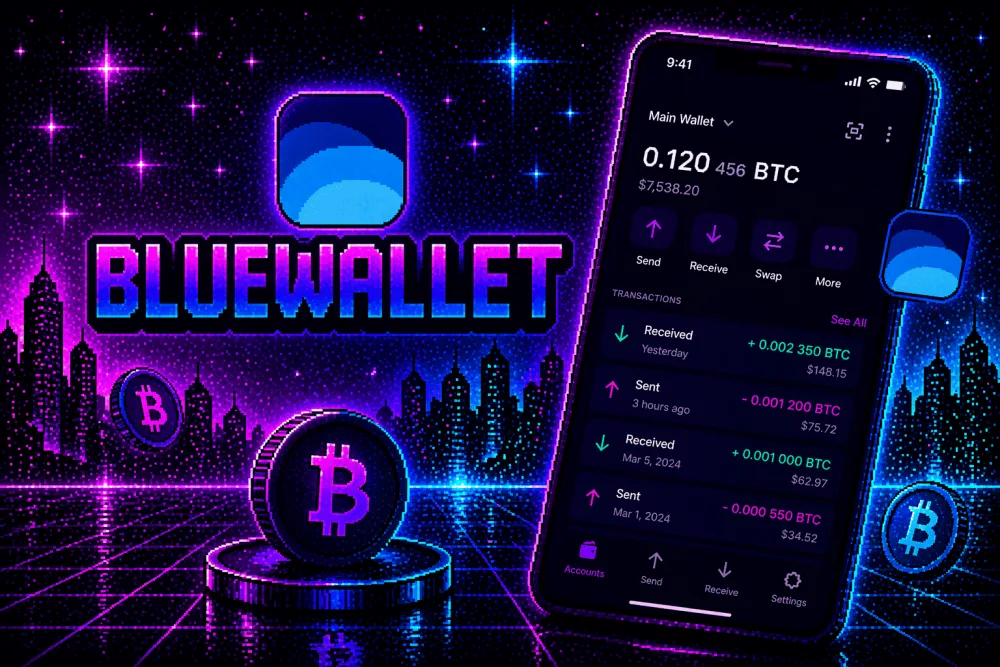
Cryptocurrency has changed the way people invest, save, and transfer money. Millions of users worldwide now own digital assets like Bitcoin (BTC), Ethereum (ETH), Solana (SOL), and stablecoins. Unlike traditional bank accounts, cryptocurrencies are stored in digital wallets that give users direct control over their funds.
Owning crypto also comes with greater responsibility. Since blockchain transactions are generally irreversible and there is no central authority to recover lost funds, understanding how to properly set up and secure a crypto wallet is essential.
This comprehensive tutorial will guide you through everything you need to know about crypto wallets—from choosing the right wallet type and creating your first wallet to securing your recovery phrase, sending and receiving cryptocurrency, and avoiding common mistakes.
Whether you’re buying crypto for the first time or looking to improve your security, this guide will help you build a strong foundation.
What Is a Cryptocurrency Wallet?
A cryptocurrency wallet is a software application or physical device that securely stores the credentials needed to access and manage your cryptocurrency on the blockchain.
A wallet allows you to:
- Send cryptocurrency
- Receive cryptocurrency
- View balances
- Connect to decentralized applications (dApps)
- Store digital assets
- Manage multiple blockchain networks
Contrary to popular belief, your cryptocurrency is not stored inside the wallet itself. Instead, the wallet stores the cryptographic keys that allow you to access assets recorded on the blockchain.
How Crypto Wallets Work
Every crypto wallet contains:
- A public address
- A private key
- A recovery (seed) phrase
Public Address
Your wallet address is similar to a bank account number.
You can safely share it with others to receive cryptocurrency.
Example:
bc1xxxxxxxxxxxxxxxx
Private Key
Your private key proves ownership of your wallet.
Anyone with your private key can control your cryptocurrency.
Never share it with anyone.
Recovery Phrase (Seed Phrase)
Most wallets generate a 12-word or 24-word recovery phrase during setup.
Example:
apple
river
coffee
...
This phrase restores your wallet if your device is lost or damaged.
Store it offline in a secure place.
Types of Crypto Wallets
Hot Wallets
Hot wallets remain connected to the internet.
Examples include:
- Mobile wallets
- Desktop wallets
- Browser extension wallets
- Web wallets
Advantages
- Free
- Easy to use
- Fast transactions
- Convenient
Disadvantages
- More exposed to online attacks
Best for:
- Daily transactions
- Small balances
- Beginners
Cold Wallets
Cold wallets store your private keys offline.
Examples include:
- Hardware wallets
- Air-gapped devices
- Paper backups
Advantages
- Higher security
- Protection from online attacks
- Ideal for long-term storage
Disadvantages
- Higher upfront cost
- Less convenient for frequent trading
Best for:
- Long-term investors
- Large holdings
- Enhanced security
Choosing the Right Wallet
When selecting a wallet, consider:
- Security features
- Ease of use
- Supported cryptocurrencies
- Backup options
- Community reputation
- Open-source availability
- Regular software updates
- Compatibility with your devices
Choose a wallet that aligns with your experience level and intended use.
Step-by-Step: Setting Up Your First Crypto Wallet
Step 1: Research Your Wallet
Before downloading any wallet:
- Visit the official website.
- Read independent reviews.
- Verify compatibility with the cryptocurrencies you plan to use.
- Avoid downloading wallet apps from unofficial sources.
Step 2: Download the Wallet
Install the wallet from:
- The official website
- A trusted app store
- The official browser extension marketplace
Avoid clicking wallet links sent through emails, messaging apps, or social media.
Step 3: Create a New Wallet
Open the wallet application.
Choose:
Create New Wallet
The wallet will automatically generate your cryptographic keys.
Step 4: Save Your Recovery Phrase
This is the most important step.
Write the recovery phrase on paper.
Do NOT:
- Save it in cloud storage.
- Email it to yourself.
- Share it with anyone.
- Take screenshots if you can avoid it.
Some users also create multiple offline backups stored securely in separate locations.
Step 5: Confirm the Recovery Phrase
Most wallets ask you to re-enter selected words from your recovery phrase.
This confirms that your backup has been recorded correctly.
Never skip this step.
Step 6: Set a Strong Password
Protect the wallet with a password that is:
- Long
- Unique
- Difficult to guess
A password manager can help generate and store strong passwords securely.
Step 7: Enable Additional Security
If your wallet supports it, enable:
- Multi-Factor Authentication (MFA) for associated accounts
- Biometric authentication
- Auto-lock timers
- Device encryption
- PIN protection
These features provide additional layers of security.
Receiving Cryptocurrency
Receiving crypto is straightforward.
Steps
- Open your wallet.
- Select the cryptocurrency you want to receive.
- Click Receive.
- Copy your wallet address or display the QR code.
- Share the address with the sender.
Always verify that the sender is using the correct blockchain network.
Sending Cryptocurrency
To send crypto:
- Click Send.
- Enter the recipient’s wallet address.
- Select the correct network.
- Enter the amount.
- Review the transaction carefully.
- Confirm the transaction.
Before sending a large amount, consider sending a small test transaction first.
Understanding Network Fees
Most blockchain transactions require network fees (often called gas fees).
Fees depend on:
- Network congestion
- Blockchain protocol
- Transaction complexity
Some wallets allow users to choose between slower, lower-cost transactions and faster, higher-priority ones.
Backing Up Your Wallet
Your recovery phrase is your primary backup.
Best practices include:
- Store backups offline.
- Protect them from fire and water damage.
- Keep them away from unauthorized access.
- Review periodically to ensure they remain readable.
Losing your recovery phrase may mean losing access to your funds permanently.
Common Wallet Mistakes
Avoid these mistakes:
- Sharing your seed phrase.
- Using weak passwords.
- Downloading fake wallet apps.
- Ignoring software updates.
- Storing large balances in unsecured hot wallets.
- Sending crypto to the wrong blockchain network.
- Clicking suspicious links.
- Approving unknown smart contracts.
Most cryptocurrency losses result from avoidable human errors rather than blockchain failures.
Connecting to Decentralized Applications (dApps)
Many wallets can connect to decentralized applications for:
- Decentralized finance (DeFi)
- NFT marketplaces
- Blockchain games
- Token swaps
- Governance voting
Before connecting:
- Confirm you are on the legitimate website.
- Review requested permissions.
- Disconnect your wallet when it is no longer needed.
- Revoke unnecessary permissions periodically.
Wallet Security Best Practices
Protect your wallet by:
- Using unique passwords.
- Keeping your recovery phrase offline.
- Updating wallet software regularly.
- Locking devices with biometrics or PINs.
- Avoiding public Wi-Fi for sensitive transactions.
- Being cautious with links and QR codes.
- Monitoring your accounts for unusual activity.
Strong security habits significantly reduce your risk.
Hot Wallet vs. Cold Wallet
| Feature | Hot Wallet | Cold Wallet |
|---|---|---|
| Internet Connection | Connected | Offline |
| Convenience | High | Moderate |
| Security | Good | Excellent |
| Cost | Usually free | Paid hardware |
| Daily Use | Excellent | Limited |
| Long-Term Storage | Fair | Excellent |
Many users keep a small amount in a hot wallet for daily use and larger holdings in cold storage.
What If You Lose Your Device?
If you still have your recovery phrase:
- Install the same or a compatible wallet on a new device.
- Choose Restore Existing Wallet.
- Enter your recovery phrase exactly as recorded.
- Set a new password.
Your assets remain on the blockchain and become accessible again through the restored wallet.
Avoiding Crypto Scams
Be cautious of:
- Fake wallet websites
- Giveaway scams
- Impersonation accounts
- Fake customer support
- Requests for your recovery phrase
- Unrealistic investment returns
Remember:
No legitimate wallet provider or support representative will ask for your recovery phrase or private key.
Wallet Maintenance
To keep your wallet secure:
- Install updates promptly.
- Remove unused wallet connections.
- Check wallet permissions periodically.
- Review transaction history.
- Verify recipient addresses before sending funds.
- Stay informed about new security recommendations.
Routine maintenance helps reduce long-term risks.
Future Trends in Crypto Wallets
Crypto wallets continue to evolve with features such as:
- Passkey authentication
- Improved biometric security
- Cross-chain compatibility
- AI-assisted fraud detection
- Built-in portfolio management
- Enhanced recovery options
- Simplified user interfaces
These innovations aim to improve both security and usability.
Crypto Wallet Setup Checklist
Before using your wallet, confirm that you have:
- ✅ Downloaded it from the official source.
- ✅ Created a new wallet.
- ✅ Written down your recovery phrase.
- ✅ Stored the recovery phrase offline.
- ✅ Set a strong password.
- ✅ Enabled additional security features where available.
- ✅ Verified your wallet address before receiving funds.
- ✅ Tested a small transaction before sending large amounts.
- ✅ Updated the wallet software.
- ✅ Learned how to recognize common crypto scams.
Conclusion
Setting up a cryptocurrency wallet is one of the first and most important steps toward participating safely in the world of digital assets. By understanding how wallets work, choosing the right type of wallet for your needs, protecting your recovery phrase, and following sound security practices, you can greatly reduce the risk of losing access to your funds.
Whether you plan to buy cryptocurrency as an investment, explore decentralized applications, or simply learn about blockchain technology, taking the time to set up your wallet correctly will provide a strong foundation for your crypto journey. As the ecosystem continues to evolve, staying informed about security updates and best practices will help you protect your digital assets with confidence.
Frequently Asked Questions (FAQs)
1. What is the safest type of crypto wallet?
For long-term storage of significant holdings, hardware wallets (cold wallets) are generally considered the most secure because they keep private keys offline.
2. Can I recover my wallet if I lose my phone?
Yes, if you have securely stored your recovery (seed) phrase, you can restore your wallet on a new compatible device.
3. What happens if I lose my recovery phrase?
If you lose both your device and your recovery phrase, you may permanently lose access to your cryptocurrency. Store your recovery phrase securely offline.
4. Is it safe to keep cryptocurrency on an exchange?
Many users prefer to move long-term holdings into a self-custodied wallet. If you use an exchange, enable strong security features such as MFA and unique passwords.
5. How do I know if a wallet is legitimate?
Download wallets only from official websites or trusted app stores, verify the publisher, research community feedback, and avoid links shared through unsolicited messages.


